
Service-based businesses operate in an environment where speed, trust, and consistency directly determine revenue. Unlike product-driven companies, service companies depend on long-term relationships, recurring engagements, and flawless execution across sales, delivery, and support. As customer expectations continue to rise, spreadsheets, inboxes, and disconnected tools can no longer support sustainable growth.
In 2026, CRM in the service sector strategies have shifted from simple contact management to end-to-end operational platforms. Modern CRM software for service businesses connects sales pipelines, customer service workflows, billing, analytics, and automation into a single ecosystem. This enables service providers to deliver faster responses, personalized communication, and predictable results at scale.
For organizations offering consulting, IT services, field services, maintenance, SaaS, agencies, or professional services, choosing the best CRM for the service industry is no longer optional. It is a foundational system that supports revenue growth, retention, and operational efficiency.
This guide explores the best CRM software for service companies in 2026, key selection criteria, core features, implementation best practices, and real business benefits - helping decision-makers choose the right platform for long-term success.
Best CRM Software for Service Companies in 2026
Salesforce Sales Cloud

Salesforce Sales Cloud is an enterprise-grade CRM platform designed for large and complex service organizations with multi-layered sales structures, strict SLA requirements, and advanced analytics needs. In the service sector, Salesforce is often used as a central system that connects sales, service delivery, customer support, and long-term account management.
For service companies, Salesforce stands out due to its deep customization capabilities. Businesses can design highly specific service pipelines, automate escalation scenarios, manage SLA compliance, and build advanced forecasting models. The built-in AI layer, Einstein AI, supports predictive analytics, churn risk identification, and next-best-action recommendations, which are particularly valuable for high-value service contracts.
Key features
Salesforce provides advanced workflow automation for service processes, AI-driven forecasting and retention analytics, highly customizable pipelines, granular access control, enterprise-grade security, and powerful reporting dashboards tailored to service KPIs.
Pros:
- Extremely scalable for enterprise service organizations
- Advanced analytics and AI capabilities
- Largest integration ecosystem on the market
Cons:
- High total cost of ownership
- Complex implementation and administration
Pricing overview: Mid to high-tier pricing, additional costs for add-ons
Ideal company size: Mid-market and enterprise service companies
Integration ecosystem: Very extensive (ERP, billing, support, marketing platforms)
HubSpot CRM

HubSpot CRM is a strong choice for service-based businesses that want to unify sales, customer service, and marketing within one platform. It is particularly effective for service companies working with inbound leads, subscriptions, and recurring client relationships.
In the service industry, HubSpot is valued for its ability to track the entire customer journey - from first interaction to ongoing support and retention. The Service Hub module enables ticketing, SLA tracking, and customer communication management, while automation tools help standardize onboarding and follow-up processes.
Key features
HubSpot offers intuitive automation workflows, built-in ticketing and customer service tools, pipeline management adapted for service deals, retention and engagement analytics, and easy-to-configure dashboards without heavy customization.
Pros:
- Fast onboarding and high user adoption
- Strong customer service and communication tools
- Free entry-level version available
Cons:
- Limited flexibility on lower-tier plans
- Costs increase quickly as teams scale
Pricing overview: Freemium model with scalable paid plans
Ideal company size: Small to mid-sized service businesses
Integration ecosystem: Strong SaaS-focused integrations
Zoho CRM
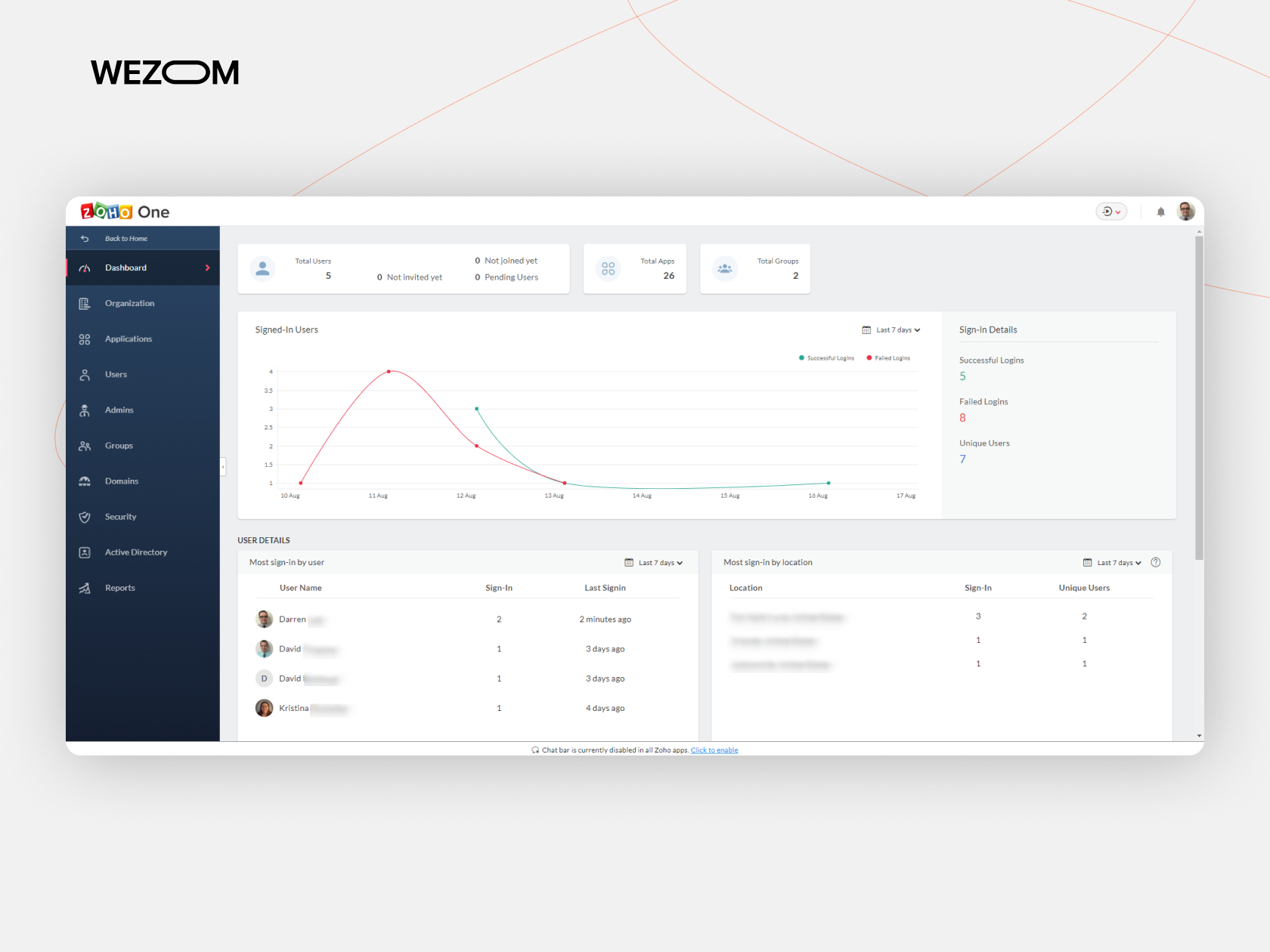
Zoho CRM is a versatile and cost-effective solution for service companies that need robust functionality without enterprise-level pricing. It is widely used in IT services, consulting, outsourcing, and professional service firms.
For service businesses, Zoho CRM is especially attractive due to its process automation depth and tight integration with Zoho Desk, Zoho Books, and Zoho Analytics. This allows companies to manage CRM, customer support, billing, and reporting within a single ecosystem.
Key features
Zoho CRM supports workflow automation, SLA logic, AI-powered insights, advanced customer segmentation, custom dashboards, and detailed reporting, making it suitable for data-driven service organizations.
Pros:
- Strong balance between price and functionality
- Large integrated business ecosystem
- Flexible customization options
Cons:
- Interface can feel complex at first
- Requires configuration to unlock full value
Pricing overview: Affordable tiered pricing
Ideal company size: Small to mid-sized service companies
Integration ecosystem: Excellent within the Zoho suite
monday CRM

Monday CRM is well-suited for service teams that prioritize process visibility, collaboration, and operational transparency. It is commonly used by agencies, creative services, and project-driven service companies.
In service environments, monday CRM acts as an operational workspace where sales, delivery, and support teams can collaborate in real time. Its visual pipelines and automation features make it easy to track service engagements and internal responsibilities.
Key features
Monday CRM provides visual pipeline management, automation workflows for service tasks, customizable boards, collaboration tools, and integrations with productivity and communication platforms.
Pros:
- Highly intuitive and visual interface
- Fast implementation
- Strong team collaboration capabilities
Cons:
- Limited advanced analytics
- Not ideal for complex SLA-driven services
Pricing overview: Per-user subscription pricing
Ideal company size: Small to mid-sized service teams
Integration ecosystem: Popular SaaS and productivity tools
Creatio CRM
Creatio CRM is a powerful platform designed for service companies that require deep process modeling and automation. It is especially suitable for enterprise service organizations in IT, telecom, finance, and regulated industries.
Creatio combines CRM functionality with full business process management (BPM), allowing service companies to design and automate complex workflows using no-code and low-code tools.
Key features
Creatio supports end-to-end workflow automation, SLA management, AI-driven analytics, advanced customization, enterprise reporting, and scalable architecture for complex service operations.
Pros:
- Exceptional flexibility and process control
- Strong BPM capabilities
- Suitable for complex service models
Cons:
- Longer implementation cycle
- Requires technical expertise
Pricing overview: Mid to high-tier pricing
Ideal company size: Mid-market and enterprise service companies
Integration ecosystem: Enterprise-oriented integrations
Salesflare

Salesflare is a lightweight CRM focused on relationship-driven service sales. It is best suited for small service teams that want automation without operational complexity.
For service businesses, Salesflare reduces manual data entry by automatically capturing communication and interaction data, making it ideal for consultants, agencies, and boutique service providers.
Key features
Salesflare offers automated contact enrichment, email and calendar tracking, simple pipeline management, and relationship intelligence that highlights engagement strength.
Pros:
- Minimal manual input required
- Clean and focused user experience
- Strong relationship tracking
Cons:
- Limited service desk functionality
- Not suitable for complex service operations
Pricing overview: Per-user subscription
Ideal company size: Small service businesses and agencies
Integration ecosystem: Email, calendar, and core SaaS tools
Nimble
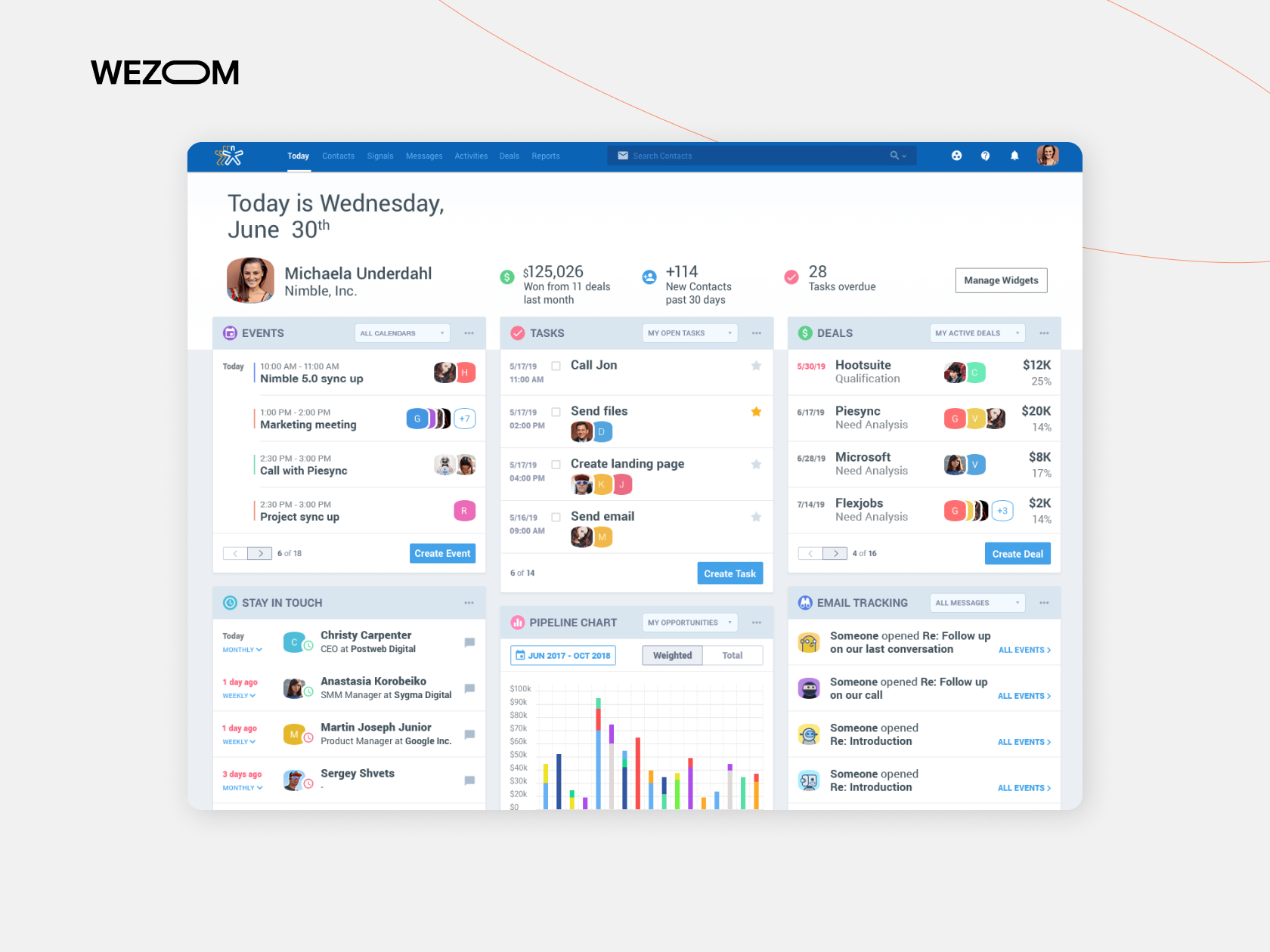
Nimble is a social-focused CRM designed for service providers that rely heavily on networking, partnerships, and personal relationships.
In the service sector, Nimble is often used by consultants, advisors, and small firms where relationship management is more important than automation depth.
Key features
Nimble provides social profile enrichment, contact intelligence, communication history tracking, and simple relationship management tools.
Pros:
- Strong social data integration
- Easy contact management
- Good for relationship-based services
Cons:
- Limited automation
- Weak support and SLA features
Pricing overview: Flat-rate pricing
Ideal company size: Small service firms and consultants
Integration ecosystem: Social networks and productivity tools
Agile CRM

Agile CRM is an all-in-one platform combining sales, marketing, and customer support functionality, making it suitable for small service businesses seeking simplicity.
For service companies, Agile CRM provides basic ticketing, pipeline tracking, and automation features without requiring multiple systems.
Key features
Agile CRM includes helpdesk tools, contact segmentation, basic automation workflows, pipeline management, and integrated marketing features.
Pros:
- Affordable all-in-one solution
- Suitable for early-stage service businesses
- Includes support functionality
Cons:
- Outdated interface
- Limited scalability
Pricing overview: Free tier with paid upgrades
Ideal company size: Small service businesses
Integration ecosystem: Standard SaaS integrations
Pipedrive

Pipedrive is a sales-focused CRM that works well for service companies with strong, structured sales processes and relatively simple service delivery models.
In service organizations, Pipedrive is often used to manage deal pipelines and pre-sales activities, while service delivery is handled via integrations.
Key features
Pipedrive offers visual pipelines, activity-based tracking, automation workflows, reporting dashboards, and forecasting tools focused on sales efficiency.
Pros:
- Very easy to use
- Clear pipeline visibility
- Fast onboarding
Cons:
- Limited native service desk features
- Requires integrations for full service workflows
Pricing overview: Tiered per-user pricing
Ideal company size: Small to mid-sized service companies
Integration ecosystem: Large marketplace of integrations
Bitrix24 CRM
Bitrix24 CRM is a broad business platform combining CRM, project management, and internal collaboration tools. It is often chosen by service companies looking for an all-in-one environment.
For service providers, Bitrix24 enables customer management, ticketing, task coordination, and internal communication within a single system.
Key features
Bitrix24 includes CRM with ticketing, task and project management, internal chat, document management, automation workflows, and reporting.
Pros:
- Extensive feature set
- Free version available
- Strong collaboration tools
Cons:
- Complex interface
- Requires configuration for scalability
Pricing overview: Free and paid plans available
Ideal company size: Small to mid-sized service companies
Integration ecosystem: Native and third-party integrations
Market Growth of CRM in the Service Sector
The global CRM market continues to grow steadily, but the service industry remains one of the fastest-adopting segments. This growth is driven by several structural changes across service-based businesses.
First, service companies increasingly operate on subscription, retainer, or long-term contract models. This requires continuous engagement, accurate tracking of interactions, proactive support, and precise forecasting - all core strengths of CRM software for the service industry.
Second, digital transformation has expanded service delivery across multiple channels: email, chat, phone, mobile apps, and self-service portals. Without a centralized CRM system, service teams struggle to maintain context, leading to fragmented customer experiences and reduced retention.
Third, AI-driven automation and analytics have made CRM platforms significantly more valuable. Modern CRM for service business solutions now supports forecasting, workload optimization, churn prediction, and intelligent routing - capabilities that were unavailable just a few years ago.
As a result, CRM adoption in the service sector is no longer limited to large enterprises. CRM for small service businesses and mid-sized companies is becoming standard, driven by cloud-based SaaS models, flexible pricing, and faster implementation cycles.
Benefits of Using CRM in the Service Sector
Implementing CRM in service sector operations delivers measurable business outcomes that directly affect revenue, efficiency, and customer satisfaction.
Improved retention
CRM for service companies enables consistent follow-ups, proactive support, and personalized communication. By understanding customer behavior and history, businesses reduce churn and strengthen long-term relationships.
Higher response time
CRM for customer service centralizes requests and automates routing. This reduces response delays, improves SLA compliance, and enhances customer trust.
Increased upsell revenue
CRM software for service businesses uses segmentation, engagement tracking, and AI insights to identify upsell and cross-selling opportunities at the right moment.
Better SLA compliance
Automated SLA tracking ensures commitments are met consistently. CRM for service industry platforms provides alerts and escalation workflows that prevent missed deadlines.
Reduced churn
With predictive analytics and engagement tracking, CRM for customer service and support helps identify early warning signs of dissatisfaction, allowing teams to act before churn occurs.
How to Choose the Best CRM for Your Service Business
Selecting the best CRM for service based business requires a structured evaluation. Service companies differ widely in delivery models, customer engagement depth, and scalability needs, so the right CRM choice must align with operational reality rather than feature checklists.
Define goals
Start by clearly defining what success looks like. For some service businesses, the primary goal is faster response time and better ticketing. For others, it may be revenue forecasting, upselling, or retention. CRM for service companies should directly support these objectives instead of adding unnecessary complexity.
Identify pain points
Map existing bottlenecks such as lost leads, slow onboarding, missed follow-ups, SLA violations, or fragmented communication. CRM for service industry platforms is most effective when configured to eliminate specific operational pain points.
Integration requirements
Service companies rarely operate in isolation. CRM software for a service business must integrate smoothly with invoicing, billing, communication, analytics, and collaboration tools. Poor integration leads to data duplication and manual work.
Budget considerations
CRM pricing varies significantly based on users, automation depth, AI capabilities, and add-ons. CRM for small service businesses should balance affordability with long-term scalability, avoiding platforms that become prohibitively expensive as teams grow.
Scalability needs
Growth introduces complexity. CRM in service sector environments should support expanding teams, new services, multi-region operations, and higher data volumes without requiring system replacement.
Security & compliance
Service companies often handle sensitive customer data. CRM software for the service industry must meet security, access control, and compliance requirements relevant to the business domain.
Core CRM Features for the Service Industry
A modern CRM software for the service industry must support both revenue generation and service delivery. Below are the essential features that define the best CRM for service companies in 2026.
Workflow automation
Automation is the backbone of productivity in service-based businesses. CRM for service business platforms automates repetitive actions such as lead assignment, follow-ups, ticket escalation, onboarding sequences, and renewal reminders. This reduces human error and allows teams to focus on high-value work.
Pipeline management
Unlike product sales, service pipelines often include consultations, proposals, approvals, delivery stages, and renewals. CRM for service companies provides customizable pipelines that reflect real service workflows, improving forecasting accuracy and deal visibility.
Customer support tools
Built-in ticketing, case management, and SLA monitoring are critical for CRM in service sector environments. These tools help support teams prioritize requests, track resolution times, and maintain consistent service quality.
AI & predictive analytics
AI-powered CRM for service industry solutions analyzes historical data to forecast revenue, identify churn risks, predict workload peaks, and suggest upsell opportunities. This enables proactive decision-making rather than reactive management.
Integrations
Service businesses rely on multiple systems. CRM software for service providers integrates with accounting, communication, marketing, and productivity tools such as QuickBooks, Slack, Zapier, Google Workspace, and email platforms, ensuring seamless data flow.
Custom dashboards
Executives and managers need real-time insights. Custom dashboards allow CRM for service business users to track KPIs such as response time, retention, conversion, revenue per client, and team performance in one place.
Mobile functionality
Mobile CRM access is essential for field teams, managers, and executives. Modern CRM for service industry platforms offers full-featured mobile apps that support task management, communication, and reporting on the go.
Why Service Companies Need CRM
Service companies face unique operational challenges that traditional sales tools cannot solve. CRM software for service providers addresses these challenges by unifying data, workflows, and communication across the organization.
Centralized customer data
Service teams interact with clients continuously - from initial inquiry to ongoing support. CRM for service companies ensures that every interaction, document, contract, and activity is stored in a single system, eliminating data silos and information loss.
Faster response and better service quality
Response time is critical in the service industry. CRM for customer service enables ticketing, SLA tracking, and automated routing, ensuring that issues are handled quickly and consistently.
Predictable revenue and pipeline visibility
Many service businesses struggle with forecasting due to complex sales cycles and recurring revenue models. CRM for service industry platforms provides pipeline management, forecasting, and analytics that improve financial predictability.
Improved retention and upselling
Retaining an existing customer is significantly more cost-effective than acquiring a new one. CRM for customer service and support enables proactive engagement, personalization, and targeted upsell or cross-sell opportunities.
Scalable operations
As service companies grow, manual processes break down. CRM software for service businesses introduces automation, standardized workflows, and performance tracking that allow teams to scale without losing quality.
Implementation Tips for CRM in Service Companies
Even the best CRM for the service industry can fail without proper implementation. Below are proven practices that reduce risk and accelerate ROI.
Migration strategy
Plan data migration carefully. Clean contacts, standardize fields, and remove outdated records before moving data. A structured migration ensures that the best CRM for service business starts with accurate and usable information.
Staff training
Adoption determines success. Invest in role-based training for sales, service, and management teams. CRM for service companies must be easy to use, but training ensures consistent usage and process alignment.
KPI tracking
Define measurable KPIs from day one, such as response time, conversion, retention, SLA compliance, and upsell revenue. CRM software for service providers should be configured to track these metrics automatically.
Phased rollout
Avoid deploying all features at once. Start with core workflows, then gradually introduce automation, analytics, and AI-driven capabilities. A phased rollout reduces disruption and improves adoption.
Automation setup
Automation delivers the biggest productivity gains. Configure workflows for follow-ups, ticket escalation, onboarding, renewals, and reporting to maximize CRM value without overwhelming teams.
What Makes a CRM the Right Choice for Service-Based Businesses?
Not every CRM platform is equally suitable for service organizations. The best CRM for service-based businesses must support operational workflows beyond pure sales automation.
Below are the core functional capabilities that define a strong CRM for service providers.
Appointment scheduling
Service companies rely on structured time management. CRM scheduling tools coordinate appointments, prevent conflicts, and integrate with calendars, ensuring smooth delivery for both office-based and field teams.
Field service management
For on-site services, CRM in service sector solutions support technician dispatching, task tracking, mobile access, and real-time status updates, improving productivity and customer satisfaction.
Customer communication tracking
CRM for service business records every interaction across email, calls, chats, and meetings. This provides full context for each client and eliminates miscommunication.
Ticketing systems
Integrated ticketing allows service teams to manage requests, incidents, and support cases efficiently. CRM for customer service centralizes issue resolution and prioritization.
Automation workflows
Automation reduces manual effort and human error. CRM software for the service industry supports workflow automation for follow-ups, escalations, onboarding, and renewals.
SLA tracking
Service-level agreements require precise monitoring. CRM platforms track response times, resolution deadlines, and compliance metrics automatically.
Mobile access
Service teams are often on the move. Mobile CRM functionality ensures real-time updates, task management, and communication from any location.
Integration with accounting tools
CRM for service companies must connect with invoicing, billing, and payment systems to maintain financial accuracy and transparency.
Reporting and analytics
Advanced analytics dashboards provide insights into performance, productivity, customer behavior, and revenue trends - enabling data-driven optimization.

FAQ
What is the best CRM for service based business in 2026?
The best CRM for service based business in 2026 depends on company size, service complexity, and growth plans. Small teams often benefit from lightweight CRM software for service businesses with fast setup, while larger service companies require advanced automation, analytics, and scalability. The best CRM for the service industry is the one that aligns with operational workflows and long-term strategy.
Why do service companies need a CRM system?
Service companies rely on continuous customer interaction, retention, and consistent delivery. CRM for service companies centralizes communication, automates workflows, tracks performance, and improves service quality, enabling predictable growth and higher customer satisfaction.
How much does CRM software for the service industry cost?
CRM software for the service industry pricing varies widely. Entry-level solutions may offer free or low-cost plans, while advanced CRM for service business platforms with AI, automation, and integrations can reach higher monthly costs per user. Total cost depends on users, features, and implementation scope.
How long does CRM implementation take?
CRM implementation timelines range from a few weeks for small service businesses to several months for complex service organizations. Factors include data migration, customization, integration, and staff training. A phased approach typically shortens time-to-value.
What KPIs can CRM track in the service sector?
CRM in service sector environments can track response time, resolution time, SLA compliance, retention rate, churn, conversion, upsell revenue, customer engagement, and team productivity. These KPIs support data-driven optimization and strategic decision-making.
