
Building an AI system follows a structured process: define the problem, prepare your data, select an architecture, train the model, evaluate performance, and deploy to production. Simple in theory, complex in execution.
This article covers each step in detail — what works, what fails, and why. You'll learn data preparation techniques that determine 80% of your success, how to choose between traditional ML and deep learning, and deployment strategies that keep models performing in production.
Why Build an AI System Today
According to McKinsey's 2025 State of AI report, 88% of organizations now regularly use AI in at least one business function, up from 78% a year earlier. Even more striking: 72% have adopted generative AI specifically, representing a jump of over 65% from 2024. The report, based on nearly 2,000 respondents across 105 countries, confirms that AI has moved from experimentation to operational reality.
The value proposition is pretty clear. Automation means AI handles repetitive tasks so humans can focus on creative work. Prediction capabilities let it spot patterns we'd miss — think sales forecasting or equipment maintenance before failures happen. Personalization is everywhere now: every Netflix recommendation, every Spotify playlist is AI understanding what you like. And once you've trained a model, scalability becomes almost effortless, it can process millions of requests without breaking a sweat.
But here's what we find most interesting — you don't need a PhD or a massive budget to get started. Understanding how to develop artificial intelligence is now accessible to anyone with open-source frameworks and cloud platforms.
Types and Branches of AI
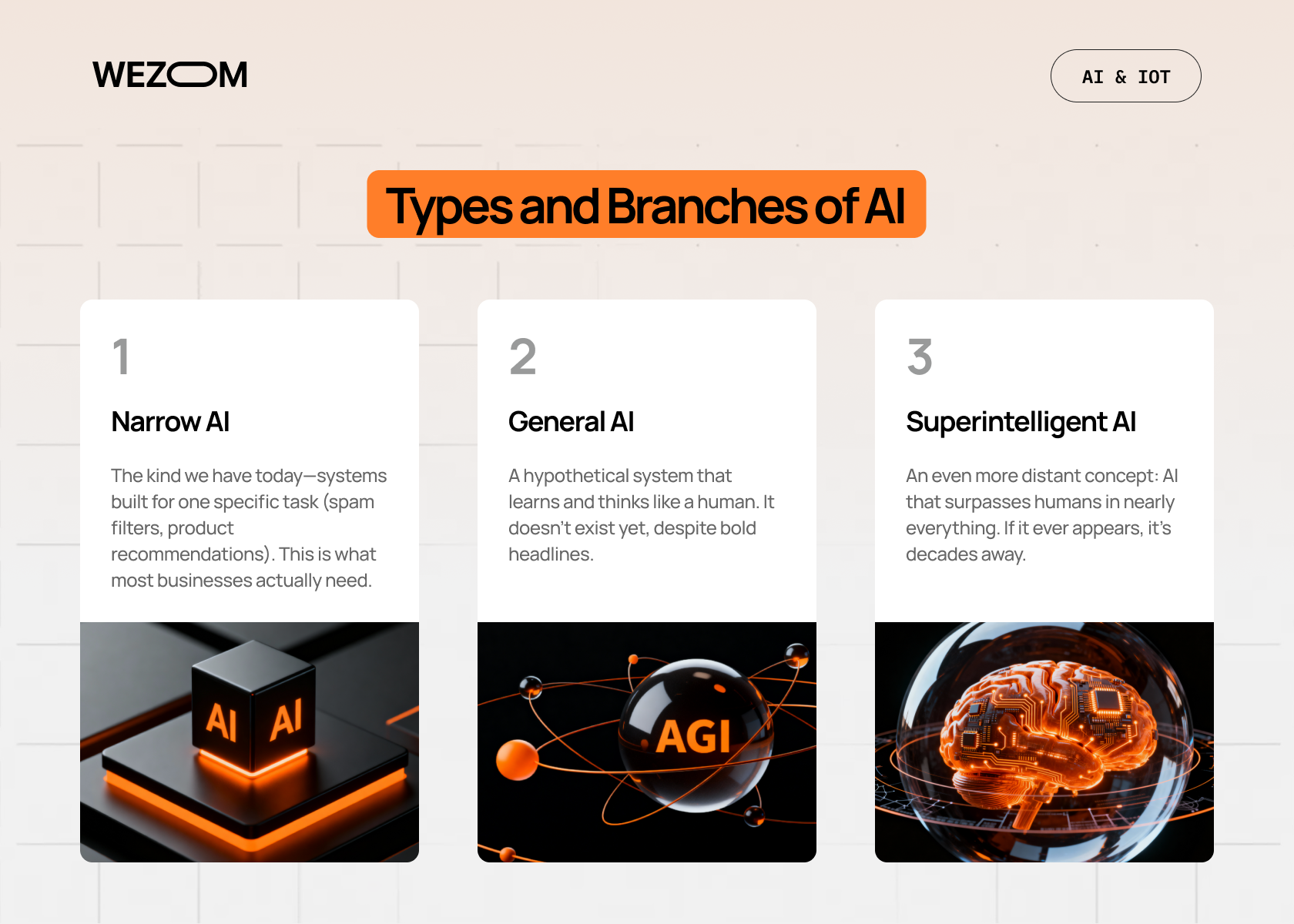
Before you start coding an AI, you need to understand the landscape.
Think of it this way: if someone says they're building AI, it's kind of like saying they're building a vehicle. Okay, but what kind? A bicycle? A rocket ship? The specifics matter a lot.
Narrow AI
This is what we're actually working with today. Narrow AI is built to do one specific task really well. Your spam filter? That's narrow AI. The algorithm that recommends which size shirt you should buy.
And honestly, that's perfect for most business applications.
General AI
General AI (or AGI — artificial general intelligence) would be able to understand, learn, and apply knowledge across different domains, just like humans do. It doesn't exist yet, despite what some headlines might claim.
When someone like Sam Altman talks about AGI being "close," they're talking about systems that might emerge in the coming years, but we're not there yet.
Superintelligent AI
Even further out. This would be AI that's smarter than humans across basically everything. We're talking decades away, if it happens at all. Not something you need to worry about when building your first model.
So when we talk about how to create an AI from scratch, we're really talking about narrow AI and how to code an AI that solves specific problems. Now let's break down the main approaches:
- Machine learning is about creating algorithms that learn patterns from data instead of being explicitly programmed. You show the algorithm a bunch of examples, and it figures out the rules on its own. Traditional ML includes things like regression models, decision trees, and random forests. These work great for structured data like spreadsheets with neat columns and rows.
- Deep learning. A subset of machine learning that uses neural networks with multiple layers (hence "deep"). This is what powers most of the impressive AI you see today. Deep learning excels at handling unstructured data — images, audio, text that doesn't fit neatly into rows and columns. The catch? It typically needs more data and computing power than traditional ML.
- Natural language processing is all about teaching machines to understand and generate human language. Chatbots, translation tools, sentiment analysis — that’s all NLP. Large language models like GPT are the most advanced form of this, but you can build simpler NLP systems for specific tasks like extracting key information from customer emails.
- Computer vision. Teaching computers to "see" and interpret visual information. Face recognition, object detection, medical image analysis — that's all computer vision.
- Generative AI. The newest star of the AI world. These models don't just classify or predict, they create new content. Text, images, code, music, you name it. DALL-E, Midjourney, ChatGPT are all generative AI.
Quick sidebar: one client recently asked us: "Which type is the best?". Wrong question. It's not about which is "best", it's about which fits your problem. You wouldn't use computer vision to analyze customer reviews, right? So you should match the technology to the task.
AI step by step
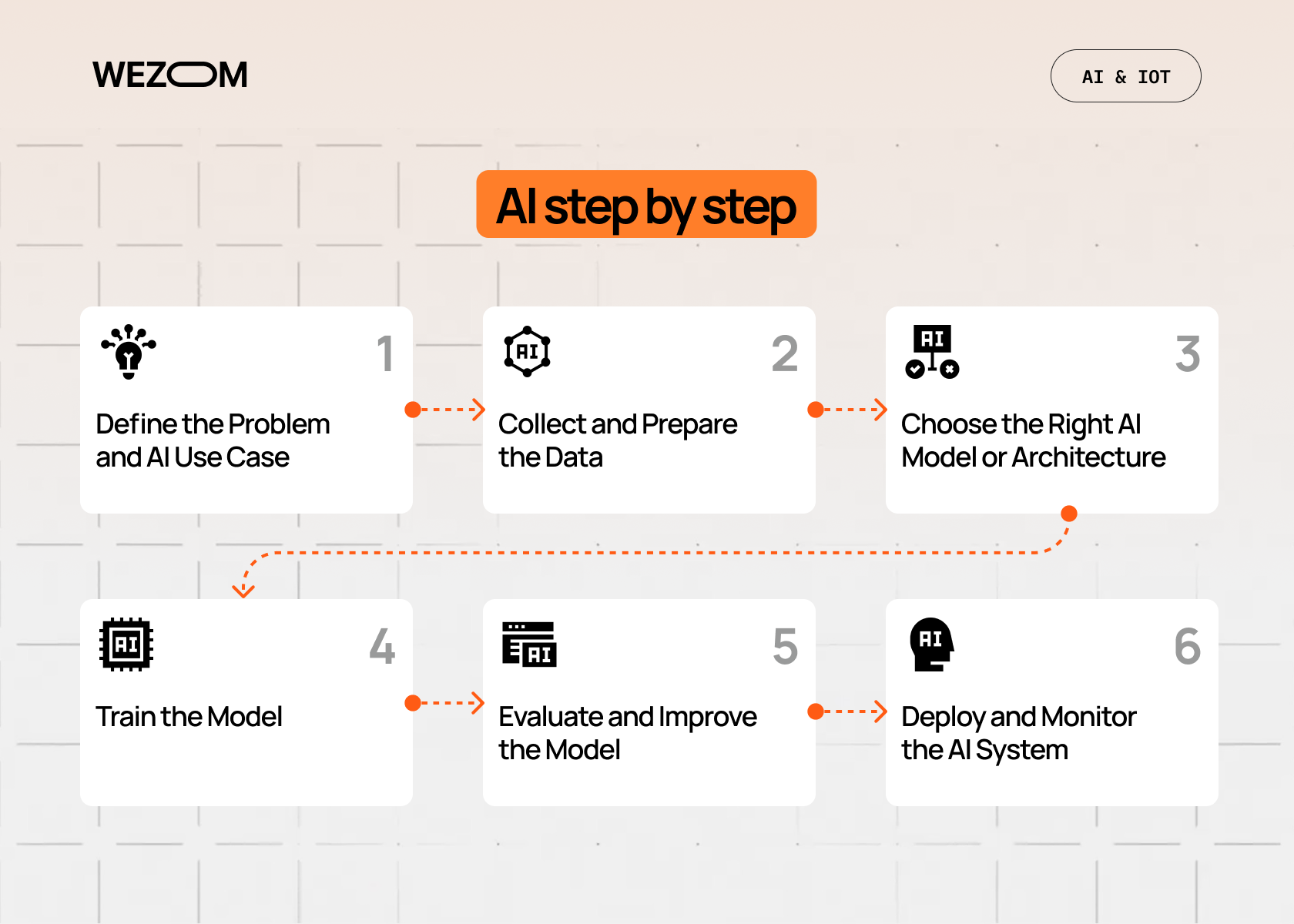
Alright, let's get into the actual process. Here's how to make an AI model, broken down into six manageable steps:
Step 1: Define the Problem and AI Use Case.
We can't stress this enough — start here. Not with the coolest algorithm or the biggest dataset, but with a clear problem statement.
What exactly are you trying to solve? Be specific. "We want to use AI" isn't a use case. "We want to predict which customers are likely to churn within the next 30 days so we can intervene early" is a use case.
Ask yourself:
- What should the AI predict, classify, detect, or recommend?
- What does success look like? (Be concrete — "90% accuracy" or "reduce customer service response time by 40%")
- What's the business impact if this works?
You'll also need to establish key metrics. For a classification problem, that might be accuracy, precision, and recall. For a recommendation system, maybe it's click-through rate or engagement time. For real-time applications, latency matters too.
And here's where you decide on the AI type. Need to predict a number (like sales revenue)? You're probably looking at regression. Sorting things into categories (spam or not spam)? That's classification. Working with images? Computer vision. Text? NLP.
Get this step wrong, and you'll waste weeks building the wrong thing. Get it right, and everything else flows naturally.
Step 2: Collect and Prepare the Data
Now comes the part that'll take up most of your time. Data collection and preparation can eat 60-80% of an AI project.
Types of data you might work with:
- Structured data – clean rows and columns (customer records, financial transactions).
- Text data – emails, reviews, social media posts.
- Images – photos, X-rays, satellite imagery.
- Audio – voice recordings, music, ambient sounds.
- Log files – server logs, clickstream data, sensor readings.
Where does this data come from?
Internal databases are usually the first stop. Then maybe APIs from third-party services, direct user input, or public datasets (Kaggle, UCI Machine Learning Repository, government open data portals).
Here's the thing about dataset size: more is generally better, but quality matters more than quantity. A thousand well-labeled, clean examples often beat ten thousand messy ones. That said, deep learning models are data-hungry — you might need tens of thousands or even millions of examples.
Data preparation steps:
- Labeling. If you're doing supervised learning, your data needs labels. This image is a cat, this email is spam, etc.
- Cleaning. Remove duplicates, handle missing values, fix errors.
- Augmentation. Sometimes you can artificially expand your dataset (flip images, add noise to audio, paraphrase text).
- Splitting. Divide into training (typically 70-80%), validation (10-15%), and test sets (10-15%).
The split is crucial. You train on the training set, tune parameters on the validation set, and evaluate final performance on the test set. Never touch your test set until the very end, or you'll fool yourself about how well your model actually works.
Step 3: Choose the Right AI Model or Architecture
This is where you pick your tools. Understanding how to develop AI software will help you choose the right ones.
Your options basically fall into three categories. Traditional machine learning is good for structured data, smaller datasets, and problems that need interpretability. Linear and logistic regression are simple and fast, great for baseline models. Decision trees and random forests handle non-linear relationships and are easy to understand. Support vector machines are powerful for classification with smaller datasets.
Deep learning works well for unstructured data, complex patterns, and situations where you have lots of data and compute. CNNs (convolutional neural networks) are the go-to for image-related tasks. RNNs and LSTMs handle sequential data like time series or text. Transformers are the modern architecture dominating NLP, including models like BERT and GPT.
Pretrained models through transfer learning are often the smart move. Use a model that's already been trained on massive datasets, then fine-tune it for your specific task. Why spend weeks training a model from scratch when someone's already done 95% of the work? For images, look at ResNet, EfficientNet, or YOLO. For text, consider BERT, GPT variants, or T5.
How do you choose? Start with the simplest thing that might work. Build a baseline model first, even if it's just logistic regression, so you have something to compare against. Then iterate.
Consider complexity versus accuracy. Sometimes a simple model that's 85% accurate and runs in milliseconds is better than a complex one that's 87% accurate but takes 10 seconds. And think about your budget. Training a large language model from scratch? You'll need serious GPU resources and a hefty cloud bill. Fine-tuning a smaller model? Your laptop might handle it.
Step 4: Train the Model
This is where the theory of how to create an AI program becomes practical — your algorithm actually learns from your data. The model makes predictions, compares them to actual answers, calculates how wrong it was, and adjusts to do better next time. It repeats this process over and over until it gets good at the task.
You'll work with tools like TensorFlow, PyTorch, or Scikit-learn. For your first project, Scikit-learn is the easiest to start with. Once you need more power, PyTorch has become the go-to choice for most developers.
Hardware matters here. Traditional machine learning runs fine on your CPU. Deep learning? You'll want a GPU. If you don't have one, cloud platforms like AWS or Google Cloud rent GPU time by the hour.
The two main pitfalls to watch for: overfitting (your model memorizes training data but fails on new examples) and underfitting (your model is too simple to capture the patterns). Both are fixable — the first with more data or regularization, the second with a more complex architecture.
You'll also need to tune hyperparameters, settings like learning rate and model size. Start with common defaults from tutorials, then experiment. And save checkpoints during training so you can roll back if needed.
Step 5: Evaluate and Improve the Model
Training is done. Now, how good is your model actually?
This is where you break out your test set — the data your model has never seen. The performance here is what matters, not the training performance.
Common evaluation metrics:
| Metric | What It Tells You |
|---|---|
| Accuracy | Percentage of correct predictions. Simple but can be misleading with imbalanced datasets. |
| Precision | Of all positive predictions, how many were actually correct? Important when false positives are costly. |
| Recall | Of all actual positives, how many did we catch? Important when false negatives are costly. |
| F1 Score | Harmonic mean of precision and recall. Good overall measure when you care about both. |
| ROC-AUC | How well the model distinguishes between classes across different thresholds. Higher is better. |
But numbers only tell part of the story. You need to do error analysis, actually look at what your model gets wrong. Are there patterns? Maybe it confuses certain classes, or fails on edge cases, or has trouble with specific types of input.
Ways to improve performance:
- Get more data, especially examples of what it's getting wrong.
- Better features. For traditional ML, feature engineering can make a huge difference.
- Architecture tuning. Try different model architectures or add/remove layers.
- Systematically search for better settings.
- Combine multiple models for better predictions.
It's also worth comparing multiple models. Train a few different architectures and see which performs best. Sometimes a simpler model surprises you.
"AI is the new electricity. Just as electricity transformed almost everything 100 years ago, today we actually have a hard time thinking of an industry that we don't think AI will transform in the next several years."
© WEZOM consultant
Step 6: Deploy and Monitor the AI System
You've got a working model. Congrats! But it's not useful until it's in production, actually solving real problems.
You have several deployment options to consider. Cloud-based deployment on platforms like AWS SageMaker, Google Cloud AI Platform, or Azure ML offers scalability but comes with ongoing costs. You can expose your model as a REST API endpoint that other services can call — this works great for most web applications. For mobile apps or IoT devices, on-device deployment is faster but requires optimization. Specialized applications like autonomous vehicles or medical devices need embedded systems.
For most web applications, an API endpoint makes sense. Tools like TorchServe handle PyTorch models, TensorFlow Serving works with TensorFlow, Docker packages your model and dependencies, and Kubernetes orchestrates containers for scalability.
You’ll need continuous monitoring because the real world changes. Data drift happens when real-world data starts looking different from your training data. Concept drift means the relationship between inputs and outputs changes over time. Performance degradation is inevitable as your model's accuracy drops.
Set up dashboards to track prediction accuracy, response latency, error rates, and input distribution changes. Plan for retraining cycles — maybe monthly, maybe quarterly, depending on how fast your domain changes. Collect new data, retrain, evaluate, redeploy. It's an ongoing process.
Common Mistakes When Creating AI Systems
Let's talk about what trips people up. We've seen these mistakes over and over:
- Poor data quality. Garbage in, garbage out. You can have the fanciest model in the world, but if your training data is incomplete, biased, or just plain wrong, you're building on sand. Spend time on data quality.
- Overcomplicated architectures. But you don't always need 50 layers and 100 million parameters. Start simple. A logistic regression model that works is better than a neural network that doesn't. You can always add complexity later.
- Ignoring evaluation metrics. "It seems to work" isn't a success criterion. Define metrics upfront and measure rigorously. Otherwise, you're just guessing.
- Underestimating computer needs. Training deep learning models takes resources. If you're trying to train a transformer on your 2015 laptop CPU, you're going to have a bad time. Plan for cloud compute or GPU access.
- No monitoring strategy. Deploy and forget is a recipe for disaster. Models degrade. Set up monitoring before you launch, not after things break.
Tools and Technologies for Building AI
The AI ecosystem is huge, which is both exciting and overwhelming. Here's what you actually need to know about.
For ML frameworks, Scikit-learn is best for traditional machine learning and incredibly easy to use. TensorFlow is Google's production-ready framework but has a steep learning curve. PyTorch is research-friendly and intuitive, and it's gaining serious enterprise adoption. Keras provides a high-level API on top of TensorFlow that's great for beginners.
Cloud platforms give you the compute power you need. AWS offers SageMaker for ML workflows with a huge ecosystem around it. Google Cloud Platform has Vertex AI with strong TensorFlow integration. Microsoft Azure provides Azure ML with good enterprise tools.
Data labeling tools help you prepare your datasets. Label Studio is open-source and supports multiple data types. Labelbox is an enterprise solution with collaboration features. Amazon SageMaker Ground Truth offers built-in labeling with human workers.
MLOps pipelines automate the whole lifecycle from training to deployment, it's basically DevOps for machine learning. MLflow helps you track experiments, package code, and deploy models. Kubeflow runs ML workflows on Kubernetes. Weights & Biases provides experiment tracking and visualization.
You don't need all of these at once. Start with a framework and a notebook environment (Jupyter works great). Add more tools as your needs grow.
Real-World Examples of AI Systems in Action
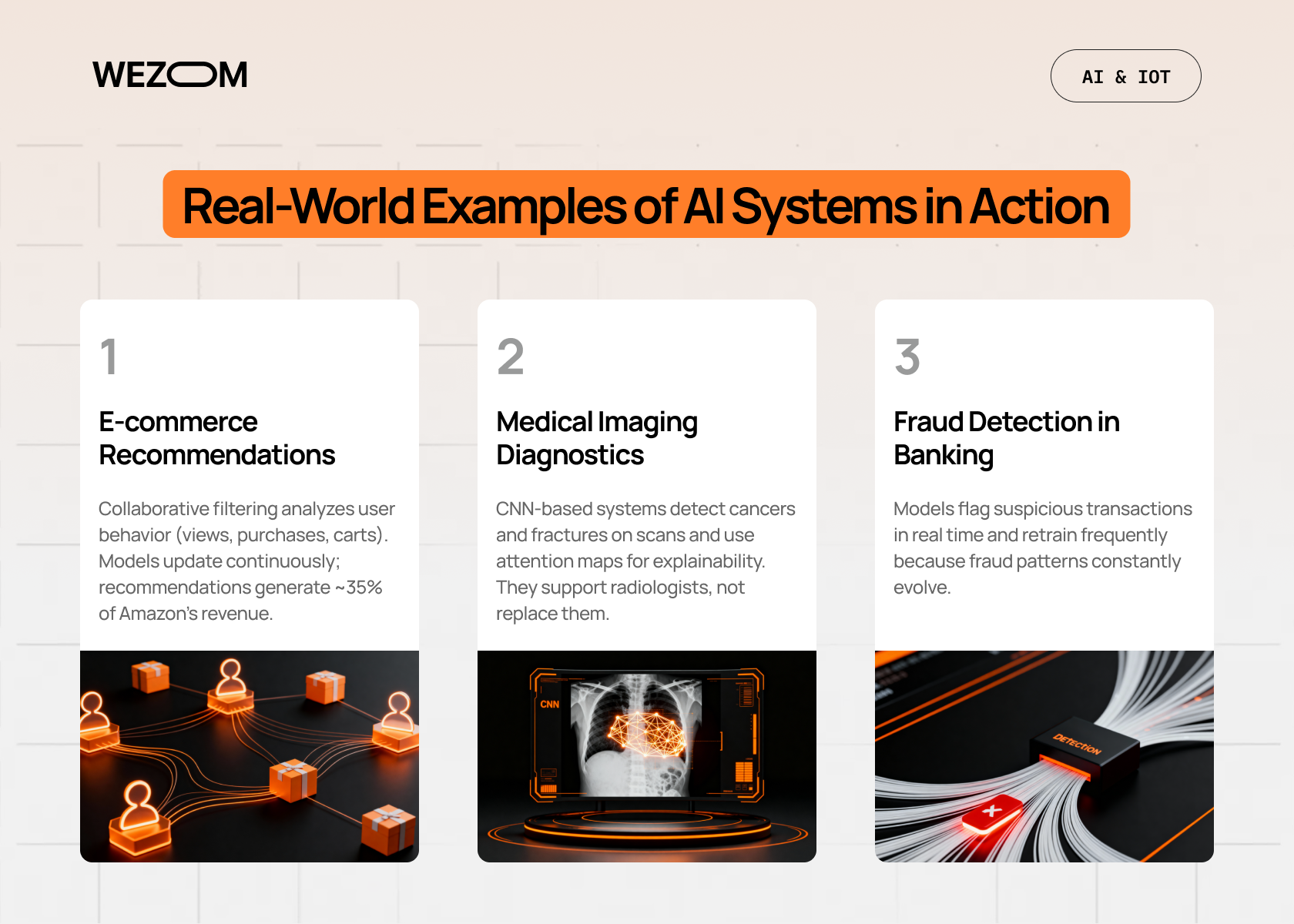
Let's ground all this theory in reality. Here are some concrete examples of AI systems and how they were built:
E-commerce Recommendation Engines
Think Amazon's "customers who bought this also bought" feature. These systems use collaborative filtering that analyzes purchasing patterns across millions of users. The data? Transaction logs, browsing history, cart additions. Training happens continuously as new purchase data flows in. Recommendations drive 35% of Amazon's revenue.
Medical Imaging Diagnostics
Hospitals are using computer vision AI to detect cancers, fractures, and other conditions from X-rays and MRIs. A typical system might use a CNN pretrained on ImageNet, then fine-tuned on thousands of labeled medical images.
These systems use attention maps to show doctors which parts of an image influenced the diagnosis. They're not replacing radiologists; they're giving them a second opinion that catches things human eyes might miss.
Fraud Detection in Banking
Banks process millions of transactions daily. How do they catch the fraudulent ones in real-time? Machine learning models trained on historical fraud patterns.
The tricky part? Fraud patterns change constantly, so these models retrain weekly or even daily. It's a cat-and-mouse game where the AI needs to adapt as fast as the fraudsters do.
Conclusion
So, how to create your own AI system? It's a process: start with a clear problem, collect and clean your data, pick an appropriate model, train it, evaluate honestly, and deploy with monitoring.
The hardest part is staying disciplined about data quality, being honest about your model's limitations, and resisting the urge to overcomplicate things.
Start small, iterate fast, and focus on solving real problems.
Need help building your AI system? Our team guides you through every step — from problem definition to production deployment. Get in touch to discuss how we can bring your AI vision to life.

FAQ
What is the easiest AI model for beginners?
Start with linear regression or logistic regression using Scikit-learn. These models are simple to understand, train quickly, and give you a solid foundation. Once you're comfortable, try a decision tree or random forest.
What programming languages are best for creating AI?
Python is the clear winner. It has the best libraries (TensorFlow, PyTorch, Scikit-learn), the most tutorials, and the largest community.
Is it necessary to have coding skills to build AI?
For building AI from scratch? Yes, you need coding skills — Python basics at minimum. That said, there are no-code and low-code platforms (like Google AutoML or Obviously.ai) that let you build models without extensive programming. They're fine for simple projects, but limit what you can do.
How much data is required to train an AI model?
It depends. Traditional ML might work with hundreds or thousands of examples. Deep learning typically needs tens of thousands to millions. But quality beats quantity — 1,000 well-labeled, clean examples are better than 10,000 messy ones.
If you're fine-tuning a pretrained model, you might get away with much less data. Start with what you have, see how it performs, and collect more if needed.
How long does it take to build an AI system?
Highly variable. A simple proof-of-concept with existing data might take a few days to a week. A production system with custom data collection, model development, and deployment infrastructure can take months.
The data preparation phase alone can take 60–80% of the total time. Set realistic expectations — rushing leads to poor models that don't work when deployed.
