
Today, corporations are increasingly considering modernizing their IT infrastructures – as evidenced by statistics showing that the global market for business application upgrade services will grow at a CAGR of 16.80% from 2025 to 2034. Modernization typically begins with core systems – ERP and CRM – as their obsolescence is the biggest obstacle to end-to-end automation. Indeed, architectures built 10-15 years ago are physically incapable of processing AI algorithms and big data, which have become one of the main requirements for high business productivity. In this article, we’ll explain why this year will be the point of no return for those who choose to leave legacy platforms and how to plan the migration correctly.
Why ERP and CRM Migration Is a Strategic Priority in 2026
Today, technological conservatism is more costly than even the most complex CRM and/or ERP migration. Companies that have been putting off modernization are now facing an insurmountable barrier to efficiency, and here are the main reasons:
- The need for high-speed decision-making, namely, in real time – legacy systems with batch data processing make business slow;
- The need for flexibility – the lack of modular, composable architectures prevents companies from quickly changing business processes to meet new market demands;
- The need for a unified, interconnected digital space where data can be seamlessly transferred from one system to another – meaning CRM and ERP can no longer exist as standalone platforms.
Add to this the attributes that all market leaders share, including:
- Cloud nativeness, namely the transition to SaaS and PaaS models to eliminate the burden of infrastructure support and ensure automatic updates;
- AI adoption, which is needed for the implementation of predictive analytics, automation, effective inventory management, personalized customer experience, etc.;
- Scalability, necessary for a business to survive and maintain its relevance in the face of global instability;
- Compliance and cybersecurity, in particular, meeting the requirements like GDPR, HIPAA, and regional data protection laws,
…and it becomes clear that timely migration is an unavoidable measure. Otherwise, a company exposes itself to risks, such as exponentially growing technical debt, loss of competitiveness (as more and more competitors begin actively implementing AI agents to capture market share), sudden failure, and staffing shortages, as seasoned specialists are reluctant to work with archaic software.
Why Companies Are Migrating ERP and CRM Systems in 2026
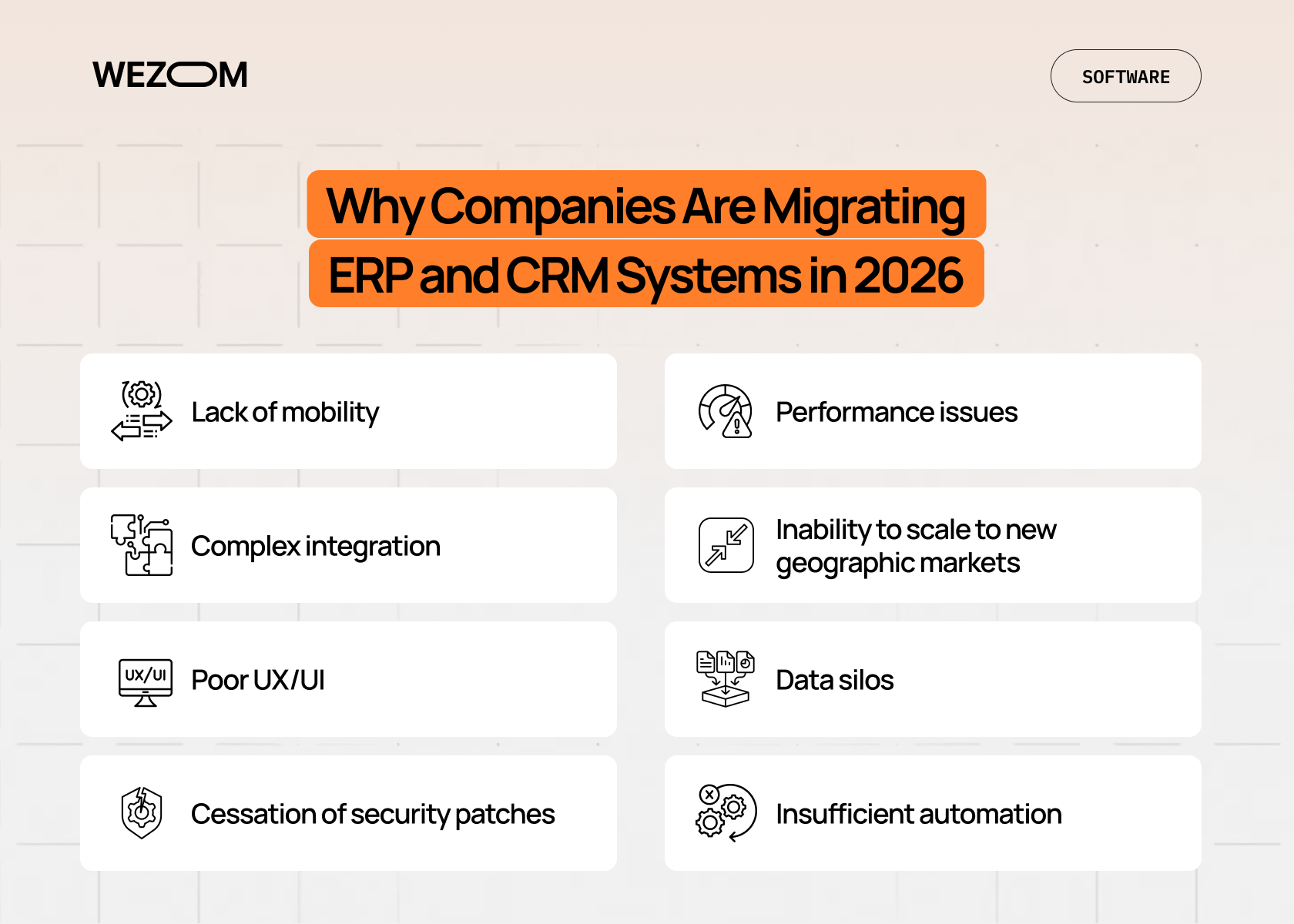
As many of our clients' experiences show, their legacy systems have begun to work against them in recent years. Here's why:
- Lack of mobility. With businesses increasingly switching to a hybrid workflow since the COVID-19 pandemic, accessing the system via VPN and desktop clients is becoming an anachronism.
- Complex integration. Legacy systems rarely feature modern APIs, making integration with modern applications and services extremely challenging (usually, this requires middleware development).
- Poor UX/UI. Interfaces from the 2000s often slow down employees’ workflows and lead to data entry errors.
- Cessation of security patches. Almost all business software vendors eventually stop supporting their legacy software and fixing vulnerabilities, making it both unsafe and incompatible with legislative changes.
- Performance issues. Old CRM databases aren’t designed to handle millions of transactions per day.
- Inability to scale to new geographic markets. Legacy ERP systems struggle to handle multi-currency, different tax zones, and language versions.
- Data silos. In legacy systems, data is disparate, while analytics are collected manually in Excel.
- Insufficient automation. Legacy CRM systems can't automatically qualify leads or trigger action chains based on customer behavior.
And yes, this is far from a complete list of reasons why migration is needed “yesterday”. Therefore, if you've encountered even one of them, you definitely need to prepare for it as an inevitable event.
ERP vs CRM Migration: Key Differences to Consider
Although the migration processes of these systems appear similar, they are fundamentally different in nature.
Functional scope differences
CRM migration happens in the front office and deals with contacts, deals, communication history, marketing operations, and more. Here, speed and ease of customer interaction are paramount. In contrast, ERP migration is back-office focused, encompassing finance, production, HR, and supply chains. Any error in ERP migration can halt shipments or disrupt payroll, so it requires a much more thoughtful approach.
Data complexity and volume
In CRM, data often requires pre-cleaning and deduplication before migration, while in ERP, data is characterized by complex hierarchies and rigid dependencies. In particular, even financial records from 10 years ago must be migrated while maintaining their integrity for audit purposes, which requires complex ETL procedures.
Business criticality
If the CRM is down for a day, the sales department will have to work from notebooks, which is resource-intensive but not critical overall. If the ERP fails for a day, production will grind to a halt, warehouses will stop accepting goods, and the accounting department will be unable to issue invoices. Therefore, ERP migration requires a much more deliberate approach to backups and rollback plans.
Stakeholder involvement
In CRM migration, the main stakeholders are sales, marketing, and support departments. In ERP migration, everyone from the CFO to the production manager must be involved in the process, so strict project management and comprehensive support from senior management are essential.
ERP and CRM Migration Timelines
Today's rapidly changing market demands that businesses respond instantly; however, when migrating a digital core, rushing can lead to critical errors.
Typical migration phases
The standard migration cycle consists of five stages:
- Discovery and assessment, which includes an analysis of current processes, data inventory, and definition of the target architecture.
- Design and blueprinting, which involves creating a comprehensive system design and describing integrations and customizations.
- Development and data migration, which includes platform configuration, integration coding, and test data migration.
- Testing, which involves verifying the new functionality on new data.
- Go-live and hypercare, which requires system deployment and user support during the first weeks of operation.
It’s important to note that each of these stages must have its own deliverables and evaluation criteria and shouldn’t begin until they have been met for the previous stage.
Average timelines (ERP vs CRM)
The timeframe directly depends on the business scale and the complexity of its workflows. For example, CRM migration typically takes 3 to 7 months. This shortened timeframe is achieved thanks to the ability to implement the new system's functionality in iterations. ERP migration, on the other hand, takes 9 to 24 months, as the deep integration into production and financial cycles of such systems requires much more thorough testing.
Factors that extend or shorten timelines
The completion date is primarily influenced by data quality, which, without proper cleanup, can add 2-3 months to the expected timeline. Also, the more unique features you decide to migrate, the longer the development will take (while out-of-the-box solutions are implemented 40% faster). Finally, delays in coordinating business processes within the company can also significantly impact the deadline.
Parallel vs phased migration approaches
There are two main legacy system migration strategies: a parallel launch, which involves working with both systems simultaneously (this is safe but also expensive due to the double workload on staff), and a phased approach, which implies migrating the system module by module. The vast majority of businesses choose the second option, as it provides the best balance between risk and budget burden.
Cost Breakdown of ERP and CRM Migration
It's important to take into account both the initial check and the total cost of ownership.
The first thing to consider is software licensing, which (for off-the-shelf solutions) can be subscription-based, with monthly or annual payments per user, or usage-based, with payment based on transaction volume or data storage. Next, infrastructure and cloud costs come. In particular, cloud migration converts capital expenditures into operating expenses, so your new budget should include the cost of computing power, backup storage, disaster recovery, and data egress traffic.
The hidden part of the iceberg is the cost of ETL tools, data engineering services, and data cleansing – in practice, these can account for up to 20-30% of the total migration budget. Moreover, in recent years, ML scripts have bben frequently used for automatic data classification, so their development also requires investment.
Next, you should keep in mind that no modern ERP or CRM system exists autonomously, so you'll need to factor in the costs of developing API connectors to third-party services, adapting interfaces to specific business roles, and setting up automated workflows.
Another portion of the budget should be allocated for training and change management, because if your personnel don't understand how to work in the new system, the project's ROI will be negative. Therefore, feel free to add to your budget the costs of creating video instructions and knowledge bases, as well as salaries for external coaches and internal change ambassadors.
Finally, don't forget that you'll also need to spend money on performance tuning, security audits, and data archiving (this applies to information that hasn't been migrated to the new system).
Key Dependencies in ERP and CRM Migration
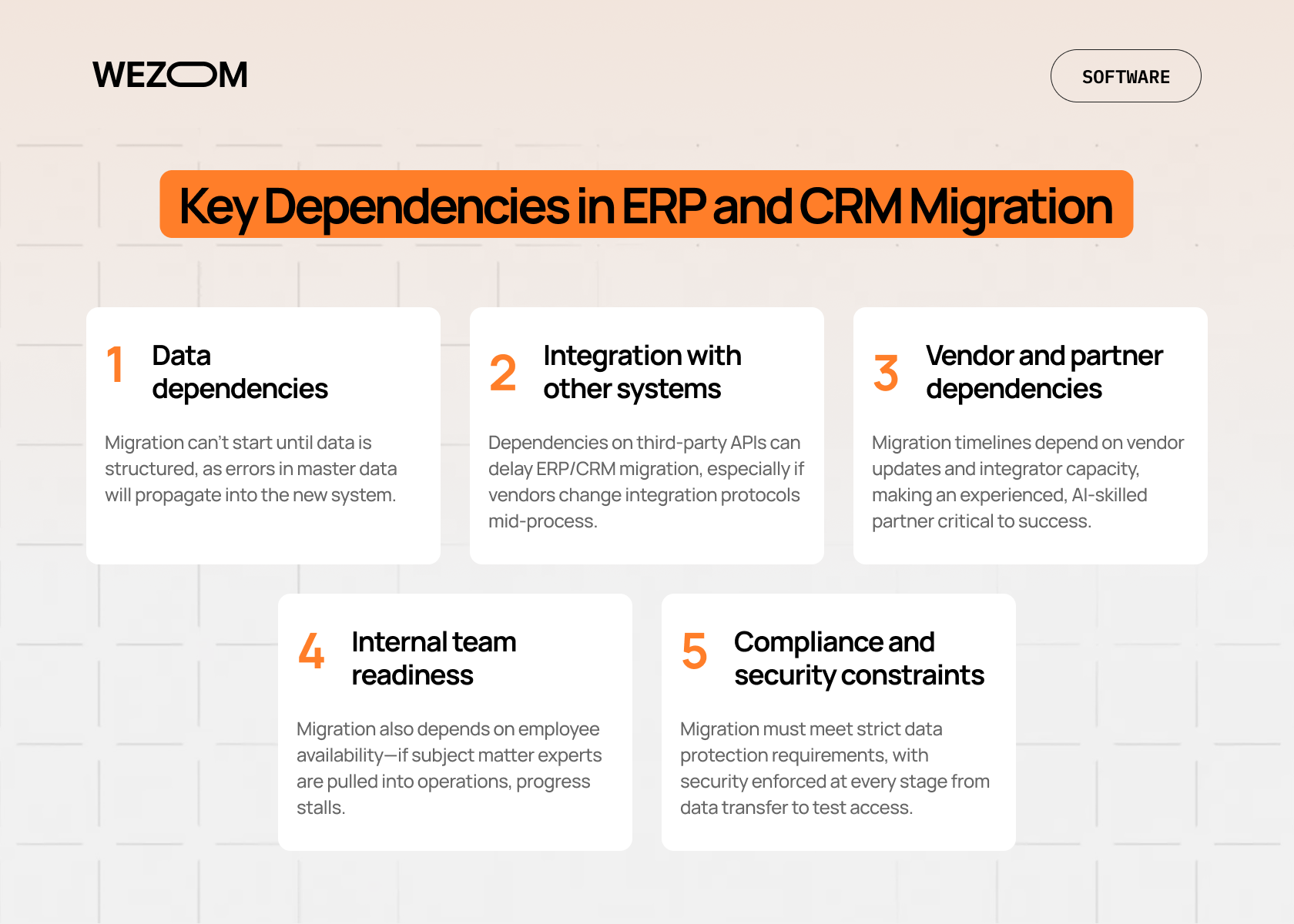
The success of each migration project depends largely on a number of external and internal factors.
Data dependencies
Migration won't begin until the data is properly structured. Dependence on correct reference books is critical here, as any error in the master data at the start will be replicated in the new system.
Integration with other systems
ERP and CRM are key nodes in the network, so their dependence on third-party APIs can extend the originally planned timeline. Also, if the vendor suddenly changes the integration protocol during your migration, this will require a prompt response.
Vendor and partner dependencies
Either way, you are still dependent on the vendor's update schedule and the workload of the integrator's team. In particular, the shortage of qualified migration specialists (especially those with extensive expertise in AI modules) makes choosing a reliable partner a crucial factor for success.
Internal team readiness
Another dependency is your employees' time. Migration requires the involvement of subject matter experts, and if they suddenly become overloaded with operational activities, the project will stall.
Compliance and security constraints
Today, data protection requirements like GDPR 2.0 have become even more stringent. Therefore, you have to understand that the migration process must comply with security protocols at every stage: from encryption during data transfer to access control in test environments.
Common Risks and How to Mitigate Them
A custom CRM and ERP migration is a project with a high degree of uncertainty. However, understanding potential threats from the outset allows you to transform even the most chaotic situation into a manageable process.
Data loss and downtime
Even with the most careful ERP or CRM migration planning, there's a risk of breaking table relationships or losing part of the transaction history. Specifically, business operations may be disrupted during the system switchover or face the loss of a customer base and/or financial reports. To avoid this, you should devise a zero-downtime ERP or CRM migration strategy in advance, using staging databases that synchronize in real time. You'll also need to run at least three mock migrations on test environments and create multi-tiered backups – local, cloud, and archived.
Cost overruns
In our experience, many enterprise projects go 20-50% over budget. This is due to potential scope creep, which occurs when, during the migration process, it becomes clear that a dozen more business processes need to be rewritten. To prevent this, you’ll need to define an MVP for the first phase of launch, build in a 15-20% buffer for unforeseen technical difficulties, and adhere to the Fixed Price model for clearly defined stages and Time and Materials for phases requiring research.
User adoption issues
Even the most advanced system will be useless if employees continue to use Excel spreadsheets simply because they're so used to it. This is usually due to an overly sophisticated interface. Mitigating this risk involves engaging future users in prototype testing during the design stage. You should also consider creating interactive courses and a reward system for mastering new functionality, as well as implementing digital adoption platforms that literally guide users through the interface.
Integration failures
Modern businesses are always tied to banking and logistics platforms, and sometimes even marketplaces. A disruption to even one of these platforms can paralyze the business (for example, your new CRM might not be able to see inventory in your old ERP, or payment data might not be sent to the bank). To prevent this, you should initially consider an API-first architecture and the use of middleware for message queue management. In addition, you’ll need to conduct stress tests on all interfaces before launch and audit third-party APIs for compatibility with the new platform.
Vendor lock-in
Today, becoming dependent on a single vendor means losing flexibility. Specifically, at some point, you risk being unable to switch to new platforms or integrate a third-party solution. To avoid this, you need to choose systems with open APIs and support for standard data transfer protocols from the outset. Also, you must store critical data in a format that's easy to export and read by third-party analytics tools.
Best Practices for Migration Planning in 2026
We identify four pillars on which a successful migration CRM and/or ERP data migration strategy today rests.
Building a realistic roadmap
A roadmap is essentially a document that accounts for dependencies and resources. It should:
- Be detailed, breaking the project into sprints to allow for adapting the strategy to changing market demands;
- Contain milestones with clear success criteria for each stage and mandatory adherence to all tickets during the transition from one stage to another;
- Consider the vacations of the employees responsible for migration, as well as peak business periods and holidays.
Ultimately, your goal is to create a CRM and/or ERP migration project plan that is as flexible as possible to avoid costly downtime and rework as new requirements arise.
Choosing the right migration model
There are three main approaches, and the choice depends on the state of your current IT architecture. The first is greenfield, where you start from scratch, completely overhauling processes. This is ideal if the legacy system is too complex and inefficient. The second is brownfield, a hybrid approach where you migrate existing processes to the new platform with partial optimization. This allows you to preserve historical data and old business logic. Finally, you can consider bluefield, or selective migration. With this approach, you select only the necessary data and modules for migration.
Involving business stakeholders early
Technology is only one-third of success. The rest depends on the right people and well-thought-out processes. First, you need to appoint a steering committee consisting of senior managers, as the migration of any core system is always a CEO- and CFO-level decision. Second, every change implemented through migration should be explained through business benefits (for example, a 15% reduction in order processing time). Finally, you'll need to establish feedback channels, as departmental employees often know more about process nuances than the system architects.
Testing, validation, and rollback plans
Migration testing involves an end-to-end analysis of data and logic. It includes checking the entire chain, from lead entry in the CRM to posting in the ERP and shipment from the warehouse, data validation with the implementation of automated scripts that evaluate the correctness of each field's transfer, and developing a rollback plan (this is necessary so that if something goes wrong, the team will know how to return everything to the old system within a couple of hours without data loss).
Case Study
To illustrate the importance of the right approach to migration, we invite you to consider a case study dedicated to modernizing a management system for a US energy giant. Specifically, this project belonged to a large US electricity and gas distributor serving over 1 million customers. The client used a legacy system that was unable to adapt to new business challenges. A complex interface and the lack of customization significantly slowed down employees; furthermore, reliance on third-party platforms for billing created data security risks and increased costs.
After analyzing the client's challenges, we developed a custom ecosystem based on a microservices architecture, combining ERP and CRM functions. We focused on security (specifically, our team implemented AES-256 encryption) and full compliance with ISO 27001 and GDPR standards. As a result of the migration, we achieved:
- A 25% reduction in operating costs due to the optimization of internal processes and the elimination of paid third-party services;
- Automation of 80% of manual work through the implementation of automated billing and workflow optimization;
- A 40% increase in efficiency achieved through a new intuitive interface that halved onboarding time.
This gave the client 100% control over their data and the ability to scale the system without vendor restrictions.
When Is the Right Time to Start ERP or CRM Migration?
Waiting for ideal conditions conducive to migration is futile. There are objective signs that the legacy system has transformed from a solid foundation into something that's dragging your business down.
Early warning signs
Before a system completely collapses your business processes, it begins to send out subtle distress signals:
- Each department has its own version of the truth. If the sales department presents one analytics at a meeting, the warehouse department presents another, and the accounting department presents a third, it means your systems rely on different sources of truth.
- Colossal amounts of manual work. If your employees still use Excel, copy-paste commands, or manual uploads to transfer data from CRM to ERP, your company is losing money due to human error and delays.
- Reports take weeks to prepare. Analytics must be real-time. If generating an annual report takes a week or more, your system is outdated.
- Challenges in AI implementation. You may want to implement a chatbot or predictive analytics, but your IT department insists that nothing can be connected to your system.
If you've encountered even one of these issues, you definitely need a migration “as soon as yesterday”.
Business triggers
Sometimes the decision to migrate is driven by external changes, such as the merger of two or more companies, entering new markets, or the need to comply with regulatory changes that cannot be implemented with current software. Ultimately, migration becomes an integral part of the overall business strategy, caused by business scaling or the need to survive in a changing environment.
Budget and resource readiness
Migration requires both a certain financial reserve and the team's mental preparedness. It makes sense to begin the process if you've already calculated the costs of licenses, training, support, and cloud infrastructure for 3-5 years in advance, and these costs are suitable. You should also appoint internal subject matter experts who have at least 20% of their work schedule available to participate in the project. Finally, you must have the support of all stakeholders, as ERP and CRM migration is not a project for just one or two departments, but primarily a business transformation initiated by the company's top management.
Strategic timing considerations
The golden rule of timing is to never schedule a go-live stage for peak periods of a specific business (for sales, this means Black Friday, the end of the quarter, high season, etc.). At the same time, the best time to start migration is 6-9 months before the beginning of the most “silent” season. This will allow your team to smoothly move through the learning curve, and your technical specialists to optimize the system before it's hit with real workload.
By the way, the WEZOM team has the necessary experience to make the transition from legacy systems to modern ones seamless and cost-effective. So, if you're considering this initiative for your company, feel free to contact us.

FAQ
How long does ERP migration usually take?
On average, the implementation of the ERP migration strategy takes 9–24 months for a custom solution, while cloud-based SMB systems’ deployment can require about 4–6 months.
How long does CRM migration usually take?
Typically, the timeline for this is less than with ERP – from 3 to 7 months, due to the fact that the vast majority of modern CRM systems have a modular architecture.
What is the average cost of ERP migration?
For medium-sized businesses, the budget starts at $50,000, while for enterprises, it can range from $500,000 to several million dollars.
If you would like to know the migration cost for your specific case, please email or call us.
What are the biggest risks of ERP migration?
The most significant risk of ERP system migration is data corruption, which is associated with errors when transferring financial balances.
Next come scope creep (excessive addition of new features during development), low adoption (staff resistance to the new system), and integration gaps (poor integration with third-party solutions).
What are the main reasons for CRM migration?
These include, first and foremost, the transition from on-premise systems to the cloud, the need to implement Agentic AI for sales, the desire to have a 360-degree view of each client in a single interface, and the excessively high costs of supporting the legacy system compared to modern SaaS solutions.
