
The final release of iOS 27 is approaching – the new version of the OS is expected this fall. This is likely the most significant system update in several years. At the same time, Apple is tightening its App Store requirements. 2026 could become the year when apps that have run for years without technical support start letting businesses down at the worst possible moment.
And that's not the only news. According to numerous leaks and industry media, alongside the release of iOS 27, Apple may unveil its first foldable iPhone with a large display, increasingly referred to as the iPhone Duo. Even though Apple has not officially confirmed these leaks, the mere prospect of a new form factor is already worth factoring into future plans.
We decided to shine a light on this topic because many businesses don't touch their mobile app for years – especially if it's running stably and doing its job. But the absence of problems today doesn't mean an outdated project can be updated tomorrow without complications. This issue most often surfaces at the exact moment a business urgently needs to fix a bug, add a new payment method, change an integration, or ship an important feature update – and suddenly discovers that even a small update requires modernizing the entire technical foundation.
Let's look at the problems tied to prolonged neglect of iOS app maintenance. Is there a risk your app could disappear from the App Store? How do you avoid update problems and make the process as painless as possible? Who's at the greatest risk? Spoiler: not everyone should relax.
Why Your App Could Disappear from the App Store This Fall
When a business hears about a new iOS release, the first reaction is usually calm: “everything already works for us, the update doesn't affect us.” But it's important to understand the problem correctly: the launch of iOS 27 doesn't mean an outdated app will automatically vanish from the App Store the next day. The risk builds up gradually and quietly, so many companies aren't even aware of it.
Here's the typical path. An old version of the app keeps working fine for existing users. At some point, the company decides to ship a new feature, fix a bug, or update the design. While preparing that update, it turns out the current project no longer meets current technical requirements. Instead of a small, quick update, a much deeper technical overhaul is needed. And if the app remains unsupported for a long time, stops working correctly, or no longer complies with App Store rules, the risk of removal becomes very real.
The core point is simple: updating your app is no longer a matter of aesthetics or convenience – it's a matter of whether you'll even be able to publish new versions on the App Store when your business actually needs to.
What's Actually Changing in the App Store
Apple requires apps to be built using current versions of its developer tools – Xcode and the SDK. These are the tools used to write code and “build” an app before publishing. Even though the underlying codebase stays the same, over time Apple gradually stops accepting builds made with older tool versions. So even if an app has run trouble-free for years, once a major OS update ships, developers have to bring the entire project up to the new requirements before making any business-driven changes. That means a small fix or a new feature can unexpectedly turn into a large-scale project to modernize old code.
A similar logic applies to launch screen requirements and the shift to a scene-based lifecycle. These are the mechanisms that determine how an app launches and switches between screens. A business owner doesn't need to understand how they work under the hood – what matters is the consequence: a very old app can't always simply be opened in a new version of Xcode and republished without additional changes. For builds prepared against the current iOS 27 SDK, missing launch configuration can cause an update to be rejected, and an outdated screen-handling mechanism can cause crashes on launch.
The Expected iPhone Duo and a New Form Factor for Apple
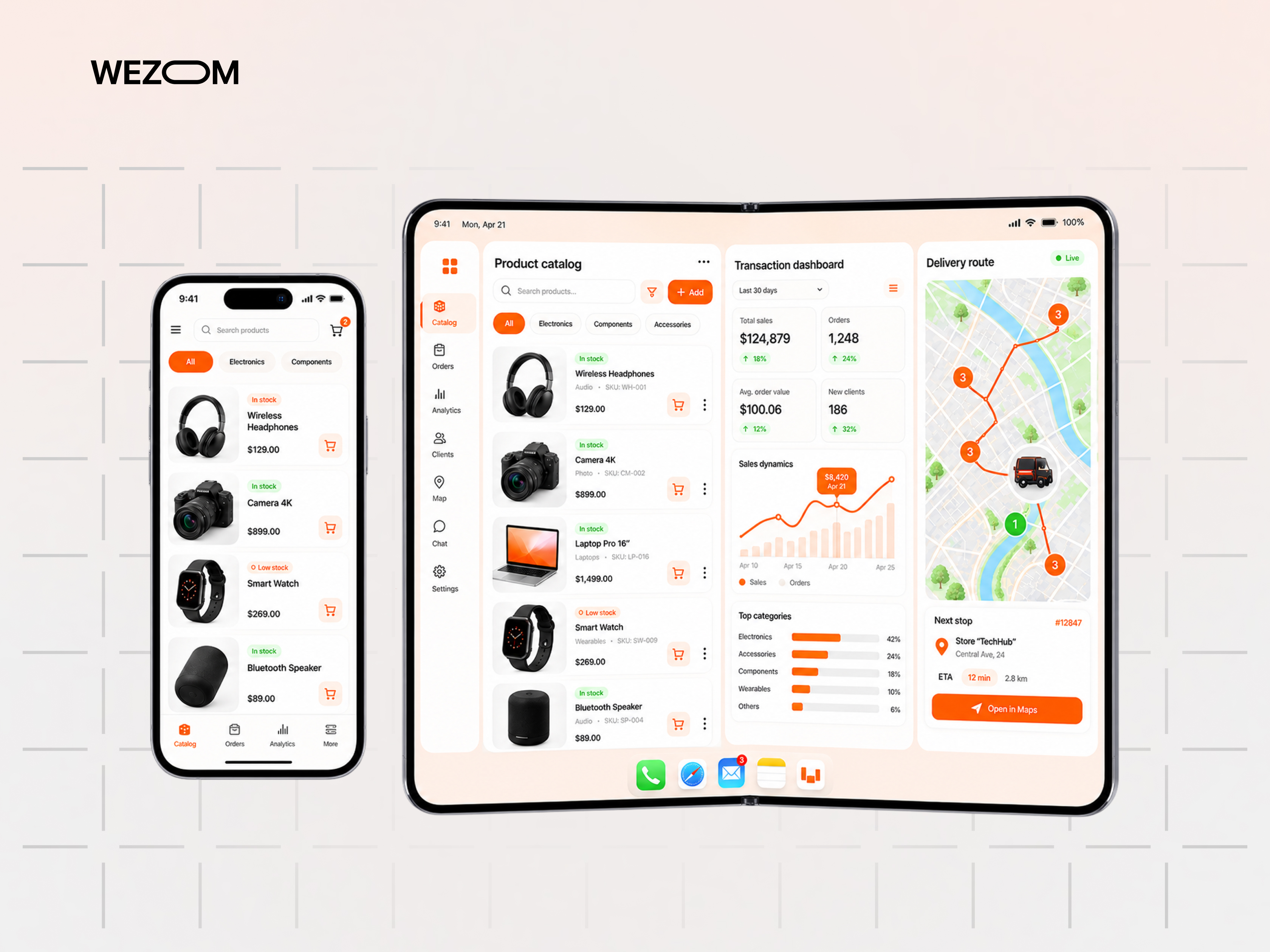
According to the leaks, this isn't just another big iPhone – it's a device that may fold open and give the user significantly more screen real estate. The arrival of a new form factor requires businesses to do additional UX/UI work on their iOS apps.
From an eCommerce perspective, a wide screen changes how a catalog is perceived: on a standard iPhone display, the user sees one or two product cards, while a large inner screen offers much more space. Simply “stretching” an old page layout to fit the new dimensions is not an option.
In online banking and fintech, a large screen will make it easier to show transaction history, statistics, or several information blocks at once. For logistics and B2B services, more workspace will benefit maps, routes, and order tables, and for media and service apps the new format may call for a different layout for feeds or catalogs. But all these advantages will only materialize with additional interface work.
Adapting to the new form factor isn't about wanting to look “trendy” – it's about making sure a premium user opening your company's app on a new device doesn't get an interface that looks cramped and “cheap.” There's no need to panic, of course: adapting for the expected iPhone Duo isn't currently a formal App Store technical requirement. But it's a real competitiveness factor in the foreseeable future.
Age Rating Questionnaire and Social Features
Starting in September 2026, Apple requires developers submitting new versions and updates to disclose whether their app has so-called social media capabilities. This isn't limited to classic social networks. Such features can include comments on products or content, public user profiles, likes, the ability to share UGC content, social feeds, community-style functionality, or other forms of user-to-user interaction.
The catch is that you might not even consider your product a “social” app, yet some of its individual features may already fall under Apple's new classification. This is especially relevant for marketplaces, media platforms, community services, and apps with reviews or comments – in other words, even if you haven't changed anything in your app, the rules around it already have.
What Happens If You Just Do Nothing
The simplest scenario is to leave everything as is. At first glance, this looks safe: “if it works, don't touch it.” But this kind of inaction has a cumulative effect, and the situation gets harder to fix with every passing month.
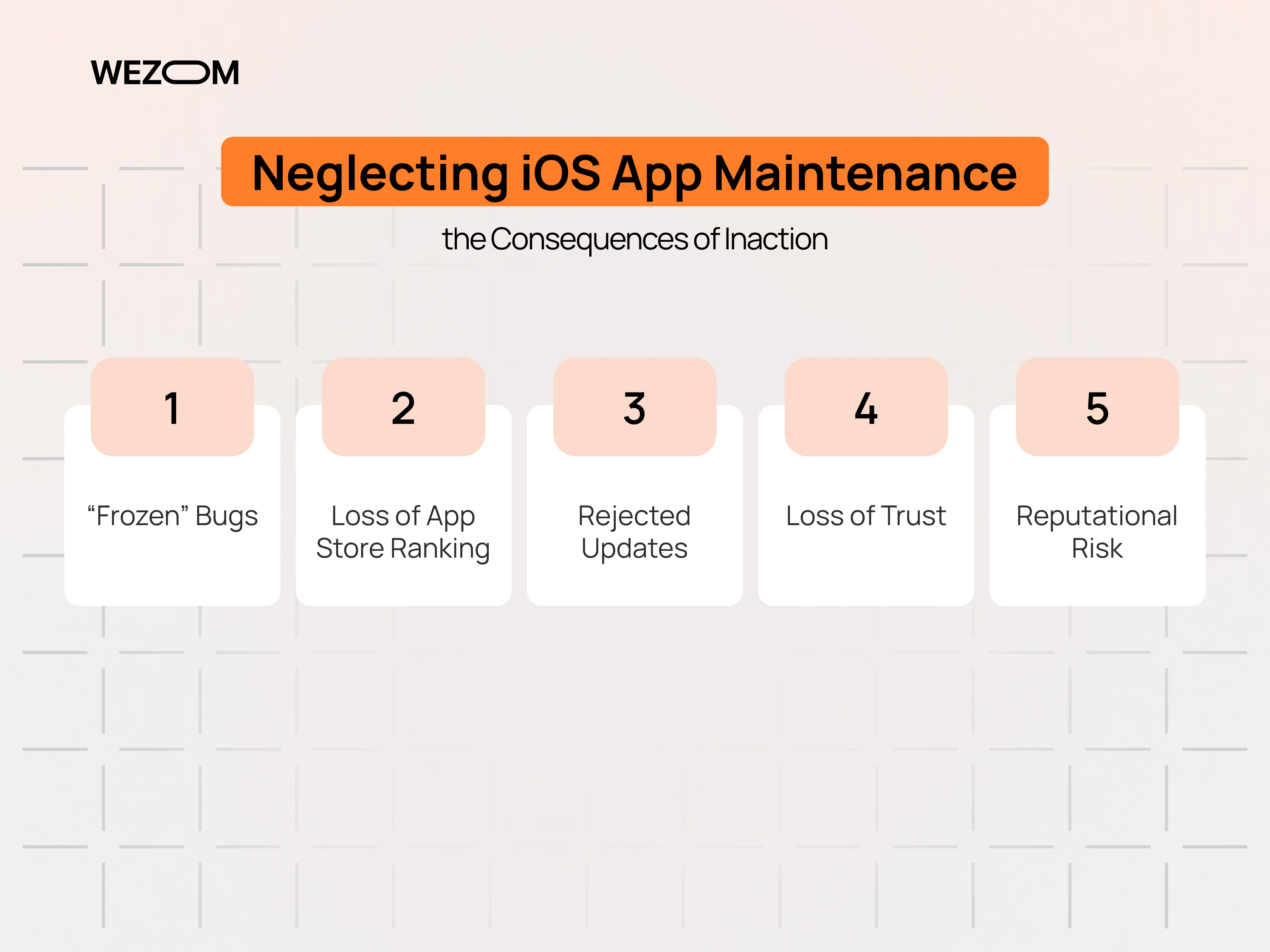
- The app “freezes” with old bugs. If publishing an update becomes technically difficult, bugs in the current version stick around for a long time – until the whole app is modernized.
- Gradual loss of App Store search ranking. An outdated app can get lost among competitors over time: stale screenshots, lower ratings, and weak page conversion reduce organic installs compared with apps that update regularly.
- Risk of rejection even for cosmetic updates. Trying to fix something small – a line of text or an icon – can result in a rejected submission if the underlying build no longer meets current technical requirements.
- Loss of trust and reputational risk. An outdated interface next to Apple's new features, like Liquid Glass or iOS's AI capabilities, creates the impression that the product is already “dead,” and on the large screen of the expected iPhone Duo that gap will become simply critical. A neglected app reflects on the perception of the entire brand – especially in competitive niches, where users can easily find an alternative.
A separate and often underestimated scenario is the app's dependence on external systems. The product itself may not change for years, but around it, payment systems, server APIs, authorization, maps, analytics, push notifications, third-party SDKs, and the operating system itself keep evolving. So if a business changes nothing, that doesn't mean nothing is changing. The app operates within a large ecosystem of services, and any one of them can suddenly demand an update.
In the worst case, prolonged non-compliance can lead to delisting – forced removal of the app from the App Store, including a technical block on any further updates.
Who Needs the Update Most – Top 7 At-Risk Niches
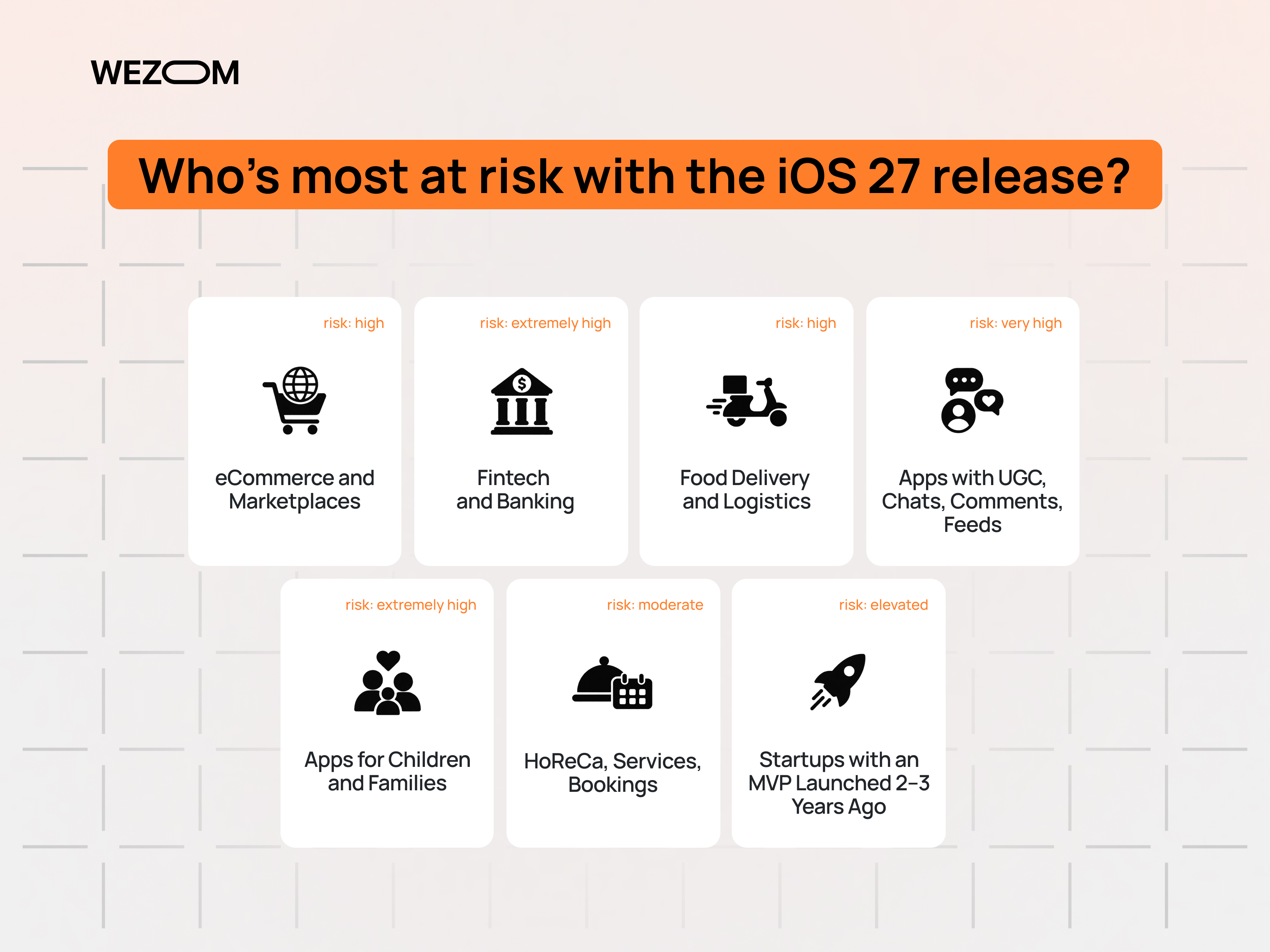
This risk isn't equally critical for every business, but for certain niches the new “App Store requirements” and preparation for iOS 27 carry direct financial consequences.
- eCommerce and marketplaces. Every hour of downtime or sluggish performance means lost sales and abandoned carts. On top of that, product cards and image galleries need to properly adapt to the large screen of the expected iPhone Duo, or the storefront will look unfinished on exactly the flagship device customers use.
- Fintech and banking. Data security and SDK currency requirements are highest here, and both regulators and Apple itself are especially strict about outdated technical solutions.
- Food delivery and logistics. Competition in this niche is fierce, and the app depends directly on up-to-date geolocation and push notifications, both of which are tied to system updates.
- Apps with UGC, chats, comments, feeds. These are exactly the apps that fall under the new social features questionnaire and must correctly classify user-generated content.
- Apps for children and families. The new Time Allowances parental control rules apply directly to this category and require technical compliance with the new standards.
- HoReCa, services, bookings. For these businesses, the app often serves as a digital storefront, and its outdatedness directly affects brand image.
- Startups with an MVP launched 2–3 years ago. A typical situation is that the product was launched, gained its first users, and then technical maintenance was ‘forgotten’ about until a crisis hit.
Hidden Business Risks Nobody Thinks About
Beyond the obvious consequences of neglecting maintenance, there are a number of less visible risks that often turn out to be the most expensive.
An emergency, panic-mode rebuild of the app after iOS 27 has already launched will cost significantly more than a planned project. Under deadline pressure, the team is forced to work in crunch mode, which raises both the cost of maintenance and the risk of errors.
This kind of “emergency” arises from an accumulated backlog of deferred issues known as technical debt. It's comparable to renovating a building: if you keep putting off small repairs for years, eventually it's no longer enough to repaint one wall – you have to replace the wiring and pipes. The same thing happens with a mobile app: the longer it goes without updates, the more work awaits the team once an update becomes unavoidable. For a business, technical debt means longer time-to-market for new features, more expensive releases, harder vendor searches, and critical dependence on the few specialists who still understand the old code.
A separate risk is dependence on a vendor: if the company that originally built the app is no longer in business, the code is effectively “frozen,” and a technical audit essentially has to start from zero.
Being outdated also hurts ASO (App Store Optimization) – stale screenshots, a lack of new features, and low update activity reduce the app's visibility in search and the trust of users seeing the product page for the first time. Screenshots taken on old devices, on top of that, don't show how the app looks on the new large screen – and that's exactly what expected iPhone Duo users will check first.
What You Need to Do Right Now
Preparing for the new release consists of several sequential steps, understandable even without a deep technical background.
- Order a quick mobile app audit. A technical review immediately shows whether the current build meets current requirements and exactly which elements need updating.
- Check the age rating questionnaire in App Store Connect. This is especially important for apps with any social or communication features.
- Assess technical readiness for the new iOS version. This includes checking the app's compatibility with the new SDK, launch screen configuration, and scene-based lifecycle architecture.
- Check the interface's readiness for large screens. Key screens – the catalog, product page, forms, navigation – should be tested for proper scaling to avoid empty space or stretched elements.
- Put together an update plan in advance, rather than in the last week before release, when the queue for technical support usually grows.
- Delegate the work to a vendor experienced in maintaining iOS apps, rather than trying to solve the technical problem in-house without specialized expertise.
You don't need dozens of pages of documentation – what matters is finding answers to just four questions: Can you currently publish a new version of the app without issues? What might stop working after the transition to the new requirements? Which changes are critical right now? And how much time and resources are needed to bring the app up to date? The audit should look beyond iOS 27 alone and also cover third-party integrations, payments, push notifications, analytics, authorization, and the interface's readiness for different screen sizes. This approach lets you update your app for iOS 27 at a calm pace, without panic and without risking downtime for the business.
“How Much Does an App Update Cost” vs. “How Much Does Losing Customers Cost”
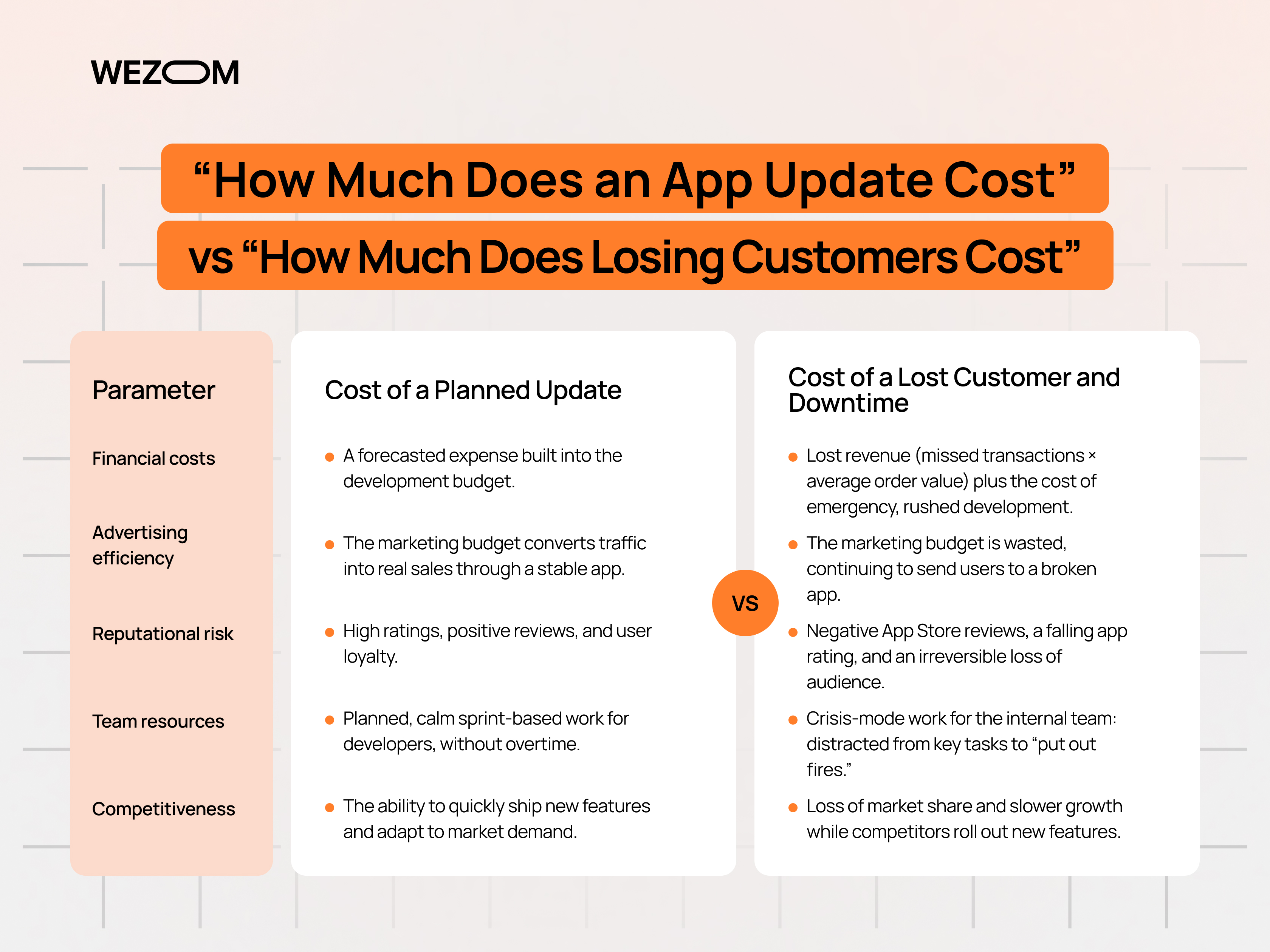
In reality, the decision to update shouldn't be made based on “how much the development costs,” but on “how much a lost customer costs.” The cost of the problem depends on more than just developer rates, since a business can lose transactions, repeat purchases, and new users, while also “burning” ad budget that's driving traffic into a broken app. What's more, without proper maintenance, the app loses ranking, positive reviews, and App Store search position. Meanwhile, the internal team loses the ability to quickly ship new functionality and gets “stuck” maintaining an outdated product.
If the app generates a meaningful share of the company's sales, it's worth weighing not just the cost of the update, but the cost of a potential week of downtime with no way to ship a critical fix. For eCommerce, this can be expressed with simple logic:
The cost of risk equals the number of lost transactions multiplied by the average order value, plus the cost of emergency development and the reputational losses from negative reviews and user churn.
The same logic applies here as with insurance or regular maintenance: maintaining a mobile app costs less than treating the consequences of prolonged neglect. A company that regularly invests in app maintenance spends less in the long run – even if at first glance it seems otherwise. To see this clearly, it's worth evaluating the outlook across key parameters:
| Parameter | Cost of a Planned Update | Cost of a Lost Customer and Downtime |
|---|---|---|
| Financial costs | A forecasted expense built into the development budget. | Lost revenue (missed transactions × average order value) plus the cost of emergency, rushed development. |
| Advertising efficiency | The marketing budget converts traffic into real sales through a stable app. | The marketing budget is wasted, continuing to send users to a broken app. |
| Reputational risk | High ratings, positive reviews, and user loyalty. | Negative App Store reviews, a falling app rating, and an irreversible loss of audience. |
| Team resources | Planned, calm sprint-based work for developers, without overtime. | Crisis-mode work for the internal team: distracted from key tasks to “put out fires.” |
| Competitiveness | The ability to quickly ship new features and adapt to market demand. | Loss of market share and slower growth while competitors roll out new features. |
How to Prepare for iOS 27: WEZOM Can Help
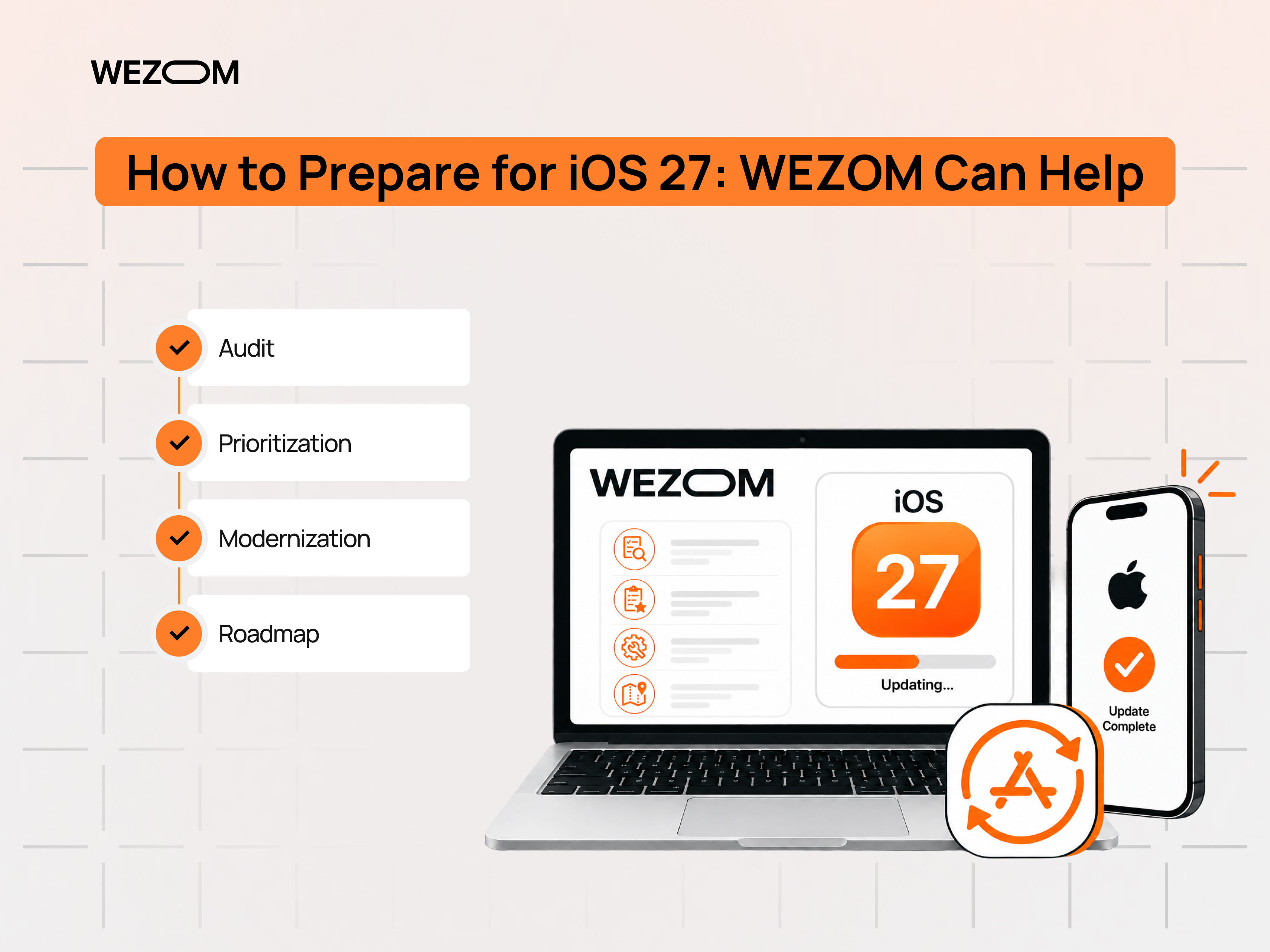
WEZOM has been working in business digitalization for over 25 years: we watched the iOS ecosystem grow from the ground up and have built our expertise in it over the years. That lets us support mobile apps at every stage of their lifecycle – from auditing the current build to technical modernization for Apple's new requirements, including adapting the interface for the large screens of upcoming devices.
Most importantly, we don't just write code – we aim to understand the full business context of the product: which features are critical for conversion and how much time is realistically needed to prepare for the release. This kind of audit gives clear answers to the key questions: what genuinely threatens the business, what needs to happen before the OS update ships, and what can wait. In the end, you get a ready action plan with clear priorities and an approximate roadmap for further modernization – all expressed in business terms, without unnecessary technical jargon.
There's less and less time left before the iOS 27 release – and you can check your app's readiness right now. Submit a request for an audit: the WEZOM team will review the current state of your build and provide a concrete list of what needs to be fixed.
FAQ
Do I really need to update my app right now?
Formally, Apple doesn't force you to update your app every month, but without meeting current technical requirements, you risk losing the ability to publish future updates smoothly. If the app hasn't been updated in a while, it's smarter to run an audit in advance rather than wait until changes become urgently necessary.
What happens if I don't make it in time for the iOS 27 release?
The most likely scenario is that the app will keep working for existing users, but the next update may require far more work than expected, gradually leading to a buildup of problems and a loss of competitiveness compared with apps that are maintained regularly.
How long does it take to prepare an app for the new requirements?
It depends on how outdated the current code is and how many technical elements need to be brought up to the new standards. A quick mobile app audit usually takes a few days, while a full technical modernization can take anywhere from a few weeks to several months – which is why it's worth starting preparation early.
Does this apply to apps that don't have any social media features at all?
Yes. The new age rating questionnaire and the baseline technical requirements for the build apply to all apps, regardless of whether they have social features. Questions about UGC content and social capabilities are most pressing for apps with chats or feeds, but the core technical requirements are mandatory for every developer.
Will an old app stop working the moment iOS 27 ships?
Not necessarily. Many older apps will keep working normally for people who already have them installed. But that doesn't guarantee you'll be able to release future versions without issues – the main risk for a business usually shows up precisely when the first necessary update after the release comes due.
Is it enough to just rebuild the old app in a new version of Xcode?
Sometimes, yes. But apps that haven't been updated in several years often turn out to rely on outdated libraries, launch mechanisms, or third-party SDKs that need to be brought up to the new requirements. That's exactly why a mobile app audit should be done in advance, not when the update is already needed “yesterday.”
